The last Thursday of last month. Your HR manager is sitting at her desk at 8 pm, cross-checking the attendance figures of three separate databases, correcting the formula to pull the ESI slab for the previous month rather than the updated one, and checking 47 payslips personally before the deadline for processing.
Her salary is ₹60,000 a month. Eight days of that month went to payroll.
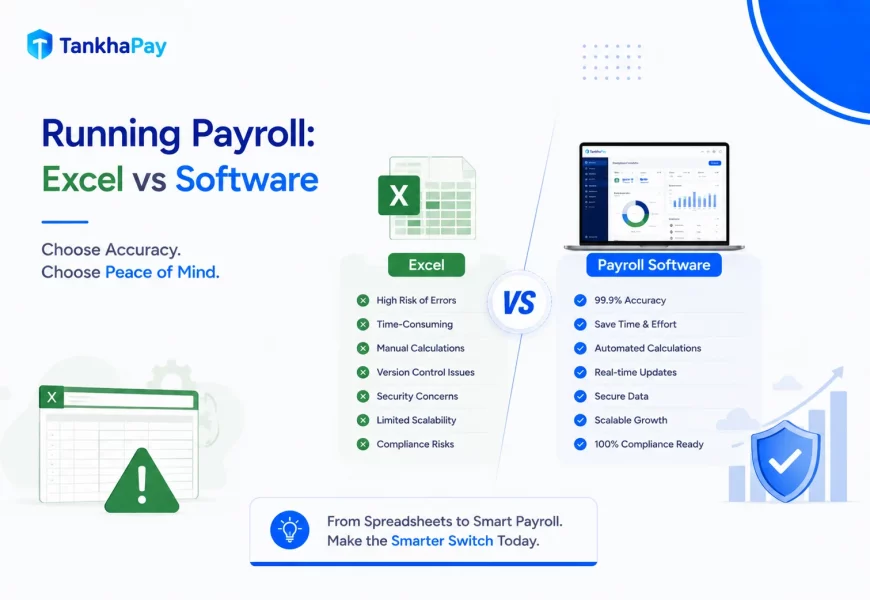
That is what running payroll on Excel vs. software actually looks like in practice. Not a feature comparison. A cost question. And most businesses running Excel payroll have never calculated the answer.
What Is the Difference Between Running Payroll on Excel vs. Software?
Running payroll on Excel means using spreadsheet formulas to calculate salaries, deductions, and statutory contributions manually, requiring human input, manual formula updates for every regulatory change, and separate processes for filing, payslips, and reporting.
The payroll software does all the above by automating calculations, updating compliance laws automatically if there is any change in law, integration with attendance systems, creating ECR files, preparing TDS reports, and providing employees with self-service facilities for payslips and tax papers.
The functional difference between the two is not of complexity, since both systems have the ability to calculate salaries. The difference lies in the event of any changes, such as a new employee joining or a change in any slab or Labour Codes or a change in the form of the TDS report.
|
Excel vs Payroll Software — Which Applies to You?
Find your scenario and see the right recommendation at a glance.
|
||
|
✔ Stay on Excel
Under 25 Employees
|
➜ Evaluate Now
25–50 Employees
|
✖ Switch Now
50+ Employees
|
When Excel Actually Works
Before covering where Excel fails, it is worth being specific about where it does not.
Excel works for payroll when:
- Your business has fewer than 25 employees
- All employees are in one state (no multi-state PT complexity)
- Salary structures are simple and uniform
- You have a dedicated person who actively maintains the formulas against each regulatory update
- Your payroll does not need to integrate with separate attendance or HRMS systems
Below that threshold, a well-maintained Excel template is a legitimate option. It costs nothing, it is flexible, and for a 12-person team with a clean salary structure, it does the job.
The problems start above 25 employees or at the moment your first regulatory formula falls out of date.
Where Excel Starts Failing Indian Businesses
It Cannot Update Itself
Every Indian payroll regulatory change requires a formula change in your spreadsheet. The ESI threshold revision. The PF wage base recalculation under the Labour Codes. The new TDS deduction section (Section 392(1) replaced Section 192 in April 2026). Form 24Q replaced by Form 138.
Whereas payroll applications update the formulas automatically in the vendor’s environment, Excel formulas get updated when the HR Manager/Accountant realizes that something needs to be changed in the formula and makes necessary changes before the next run.
Most Excel-based payroll setups in India have at least one formula that is out of date right now. Most businesses do not find out which one until a compliance notice arrives.
One Wrong Formula Runs for Months
This is the specific failure mode that costs the most money.
An incorrect PF salary base in October flows for November, December, January, February, and all months until somebody discovers it. If it comes to light through an EPFO audit, then the arrears will be for six months, with interest of 12% p.a. under Section 7Q, and damages of 1% p.a. under Section 14B, which works out to 12% per year. The statutory maximum penalty of 100% on the arrears is available, but it can only be applied for defaults running for years and not months.
According to PwC’s 2025 Global Payroll Complexity Index, India ranks 12 out of 40 nations on the basis of payroll complexity. The payroll complexity does not go down with Excel but only gets hidden until it turns into a problem.
Compliance Items Excel Cannot Handle Automatically
Two specific 2026 changes that require correct formula updates in any Excel-based payroll setup:
The Labour Codes wage definition (Nov 2025): Basic salary plus DA must be at least 50% of total CTC. If your Excel template calculates PF against a basic that is below 50% of CTC, your PF deductions are wrong for every employee, every month since November 2024.
The Income Tax Act 2025 (April 2026): Deduction of tax from salary has been moved from section 192 to section 392(1). Form 24Q is not a quarterly form; instead, Form 138 is. Form 16 is not an annual form; rather, Form 130 is. An Excel document generating a citation to these former form numbers would lead to non-conformity.
Software vendors updated their platforms automatically. Excel templates updated only when someone manually changed them.
Data Security — the Risk Nobody Talks About
Excel documents kept on laptops have become the most popular means of payroll data breaches in Indian SMBs. As opposed to the encrypted payroll systems on the cloud, there is absolutely no tracking of user activity through such a document.
The payroll data of all employees that includes their salaries, banking details, P.A.N. number, and T.D.S. is stored in the Excel format on one laptop. It is sent through email for viewing purposes. It is not always saved when people remember to do so.
Payroll-related security incidents are a real and growing concern for Indian businesses. ADP’s Future of Pay 2026: India report, based on 344 senior HR, finance, and payroll leaders, points to data security as one of the more pressing challenges organisations report. Payroll data on Excel files is the most common entry point.
The DPDP Act of India stipulates that the responsibility to provide notification in case of data breaches on the part of data fiduciaries shall be introduced in a phased manner and be entirely applicable starting May 2027. However, even before then, the risk itself exists: unencrypted spreadsheets on individual PCs are precisely what such legislation seeks to prevent. Upon the full introduction of such an obligation, a payroll data breach compromising the personal information of employees, such as their PAN, banking information, and salaries, would make mandatory notification and possible sanctions inevitable.
What Payroll Software Does Differently
Automated Payroll Processing
The automated payroll system will make sure that the calculations are made using real-time data as opposed to calculations made using a formula created two years ago. Data on attendance will be entered automatically, while the data on leaves will be deducted from the total amount after taking into consideration the requests that have been approved.
The calculation is not the hard part of payroll. The data collection is complete. HRMS software solves data collection by connecting directly to the systems where that data lives.
Compliance That Updates Without You
Each time the ECR template is changed by EPFO, each time a PT rate is revised by a state, and each time the TDS provision is amended by Parliament, the updated software is available for use in your next payroll processing cycle. You do not have to know what has changed. You do not have to change any formulae.
This is the core payroll software benefit that justifies every other cost comparison: the system stays compliant without requiring your team to monitor every regulatory gazette.
Audit Trail and Error-Catching
Payroll software maintains a complete audit trail of every calculation, every change, and every approval. When a discrepancy appears, whether in an EPFO audit or an internal salary query, you can trace it to its exact source in seconds.
Excel has no audit trail. It has whatever was typed in the most recent version of the file.
Employee Self-Service
Every payslip query your HR team answers manually is time that payroll software eliminates. Self-service portals let employees download payslips, submit tax declarations, and February and the RM 130 (annual TDS certificate) directly without an email to HR.
For a 100-person business, this eliminates 40–60 employee queries per month from the HR team’s inbox.
True Cost of Excel Payroll
25-Employee Break-Even Rule
Excel will work well for up to around 25–30 employees where compliance is not complex and salary structures are simple. Once you get past this point, however, the cost of mistakes, delays, and HR resources spent will quickly add up to become greater than that of an HRMS payroll system within 3–4 months.
There is no aspect of features about this, but it all boils down to the cost involved. It is very reasonable and affordable to have an Excel sheet that is well designed for a workforce of 25 individuals. However, beyond 25 individuals, the cost will be much higher than the cost of the software.
If your business is above 25 and still using Excel, then your case has definitely crossed that point. It is just a matter of time until it occurs.
Wrapping Up
Running payroll on Excel vs software comes down to a single question: is the zero subscription cost of Excel actually lower than the total cost of running it, including HR time, penalty risk, data security exposure, and regulatory update lag?
Below 25 employees with a simple payroll structure, the answer is usually yes. Above that threshold, the math rarely supports Excel.
The two 2026 regulatory changes, the Labour Code’s wage definition and the Income Tax Act 2025 form changes have raised the update maintenance burden on Excel-based payroll significantly. Any Excel payroll that has not been specifically corrected for both changes is currently producing non-compliant outputs every cycle, without any visible error signal.
The managed payroll service of TankhaPay takes care of all of the above, including compliance update, multi-state regulations, payslip issuance, and ECR submission, without your staff having to handle any formula.