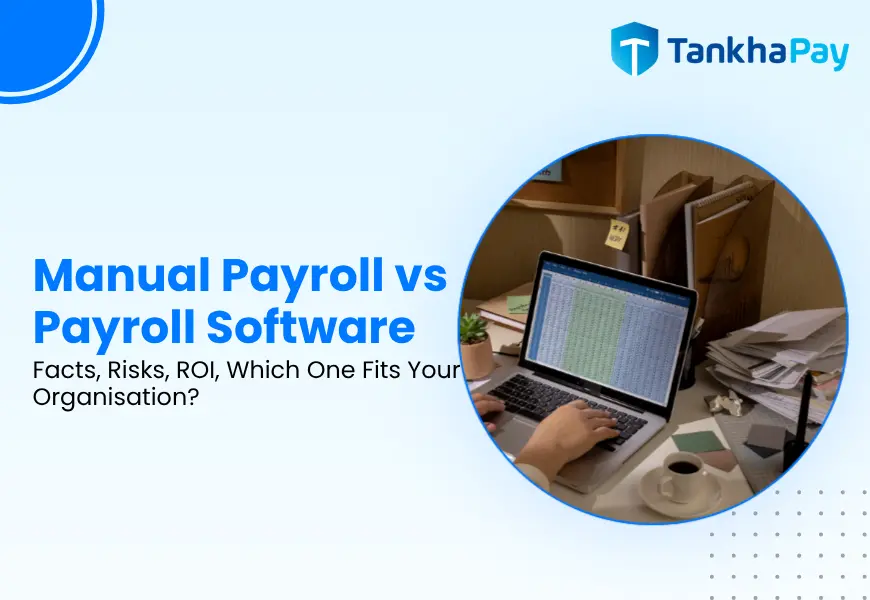
Manual payroll is a process where salaries, deductions, and compliance processes are all calculated manually in spreadsheets. However, payroll software takes care of all these processes, along with the generation of payslips, compliance filings, and records maintenance. The actual distinction lies in the fact that manual payroll becomes increasingly more difficult and risky as you hire more employees, while payroll software remains pretty much the same.
If you have 2 or 3 employees who earn fixed salaries, you can afford to use the manual payroll system as it is. However, beyond this point, the equation changes, and it is not due to the fact that manual payroll cannot be used anymore.
Quick Answer: Manual Payroll vs Payroll Software
Manual payroll does not require any payment at the start but requires the actual time of an HR or finance department each month, and this time cost increases in proportion to the size of the company’s workforce. The software payroll demands an initial subscription fee but maintains processing time to be relatively consistent irrespective of the number of people in a company’s workforce.
| Factor | Manual Payroll | Payroll Software |
|---|---|---|
| Salary calculations | Manual, spreadsheet-based | Automated |
| Processing time | Rises with headcount | Stays roughly flat |
| Human error risk | Higher, no built-in checks | Lower, with correct setup |
| Compliance management | Tracked and applied manually | Software-assisted, still needs oversight |
| Payslips | Manually prepared | Auto-generated |
| Attendance integration | Usually manual reconciliation | Can sync directly |
| Employee self-service | Rare | Standard on most platforms |
| Scalability | Limited, needs added staff | High |
| Direct cost | Low or none | Subscription + setup |
| Best suited for | 1–3 employees, simple, single-location pay | Growing or complex payroll |
What is Manual Payroll?
Manual payroll is running the entire payroll cycle without dedicated software: attendance tracked on paper or in spreadsheets, salaries calculated by hand, statutory deductions computed line by line, payslips built in Word or Excel, and payments made individually.
What is Payroll Software?
Payroll software works on an automatic cycle, which includes computing the gross to net salary, applying statutory deductions, issuing payslips and generating the necessary reports for regulatory purposes. Most software packages also have the feature of integration with attendance/HR modules, where hours worked are automatically fed into the payroll system and not manually entered.
Why Indian Payroll Gets Complicated Fast
A gross-to-net calculation is only the starting point. In India, how a salary is structured changes what’s owed and how it’s taxed, and several of the rules below have shifted since the four Labour Codes took national effect on 21 November 2025:
| Salary Component | Statutory Treatment |
|---|---|
| Basic Salary | PF wages (Basic + DA + Retaining Allowance) must together equal at least 50% of CTC under the Labour Codes |
| HRA | Exemption is available only under the old tax regime (formerly Section 10(13A) of the 1961 Act; renumbered under the Income-tax Act, 2025 — confirm exact section before publishing), which needs separate calculation |
| LTA | Exemption is available only under the old tax regime, for 2 trips in a 4-year block, it needs tracking |
| Special Allowance | Fully taxable, no statutory deduction |
| Variable Pay / Bonus | TDS is computed differently; statutory bonus is 8.33% of basic where applicable, under the Code on Wages, 2019 |
| Employer PF | 12% of PF wages, shown in CTC, not in payslip gross |
| ESIC (employer) | 3.25% of gross, additional employer cost, unchanged since 2019 |
In manual payroll, every one of these is applied separately, per employee, per month, with no automated cross-check. A single employee joining mid-cycle, taking LTA, or moving into a different PT slab changes the calculation in ways that are easy to get wrong by hand and easy for software to apply consistently.
Manual Payroll vs Payroll Software: Key Differences
Accuracy and Human Error
Both manual entry and manual calculation have chances of error in the form of omission of deduction, wrong slab, and transposition of figures that do not come to light until and unless a worker complains of shortage of wages. The chance of errors arising from manual processes can be minimized through software use in the sense that logic remains constant, but software does not remove the possibility of errors in itself in the sense that errors will arise due to wrong data and the salary structure of the employees.
Time and Productivity
The preparation of payroll manually for a small group can take a couple of hours a month. As more people join the firm and the payroll system becomes more complex, with elements like overtime, performance-based pay, or even the presence of different locations, this period rises in relation. But payroll software is able to process information at nearly a constant time because the rules remain the same no matter the number of employees.
Cost
Manual payroll’s direct cost is close to zero. That’s the appeal, and it’s also the trap: the actual cost lies in terms of the man-hours involved, the effort of correction and compliance risk, none of which are featured in the bill. The manual payroll could have a lower direct cost yet a higher overall cost when the cost of the man-hours involved and the correction are taken into account.
Compliance
Compliance is not ensured by payroll software. Rather, the software helps to ensure that the statutory norms (PF, ESI, TDS, Professional Tax) are followed, maintains proper record keeping, and provides the reports needed for compliance. Compliance cannot be automated completely because someone has to go through the reports generated and be accountable for them.
The cost of getting PF wrong is concrete and codified. Under Section 7Q of the EPF Act, late payment attracts simple interest of 12% per annum on the overdue amount. Separately, under Section 14B, the EPFO charges compensation for the default as a rate of 1% per month of the outstanding amount from June 2024 amendment which abolished the old range of 5-25% on the outstanding amount, hence removing the upper limit of the old damages structure and thereby making it limitless depending upon how long the default has been going on.
There is, however, an opportunity for the employers facing such older damages disputes under the old regime of Section 14B until June 2024 through EPFO’s VISHWAS, 2026 Scheme, notified on 29 June 2026, offering a period of six months to resolve the disputes. All of this is not merely theoretical but is a part of the penalty structure itself.
Scalability
A manually operated process which works for 10 employees is not likely to grow linearly if the number of employees increases to 50. The more employees there are, the more attendance records would need to be sorted, the more edge cases there would be (mid-month joiners, different wages, PT in multiple states), and the more likely some detail would get missed.
Attendance and Payroll Integration
Attendance, leaves, overtime, and loss of pay are among those factors that go towards the computation of the salary amount. When the attendance information exists in one database, while the payroll information exists in another, the two have to be reconciled manually at the end of each cycle, which usually causes manual errors. Payroll solutions that allow for attendance data input eliminate this process of reconciliation.
Employee Experience
Manual payroll usually means employees request payslips or tax documents directly from HR. Most payroll software includes a self-service portal where employees can access payslips, Form 130 (the renumbered Form 16 under the Income-tax Act, 2025), and investment declarations on their own, which reduces the volume of routine HR requests as much as it improves the employee’s experience.
Reporting and Auditability
The disadvantage of using spreadsheets to maintain records lies in the fact that they rely on an individual performing proper version control and formatting. Centralized payroll system records are automatically maintained in a structured way. This is a real benefit during audits and inspections because records that are created with the use of software are much easier to search and harder to alter accidentally.
Manual Payroll: Pros and Cons
Both approaches involve certain trade-offs, and it is only an honest evaluation that takes into account your current situation.
Advantages
- Zero software costs
- Total control of all calculations
- Effort in implementation is zero
- Vendor independence
- Very good choice for small teams
Disadvantages
- Time cost increases with headcount and complexity
- No automated cross-checks against errors
- Compliance tracking is entirely manual
- Weak audit trail compared to a centralized system
- Doesn’t scale without adding staff
- Harder to manage across multiple states or locations
Payroll Software: Pros and Cons
The trade-offs run in the opposite direction, and they’re just as real.
Advantages
- Consistent, automatic calculations
- Statutory laws used in a uniform manner for all workers
- Centralized, more easily auditable system
- Works together with attendance, HR and financial systems
- Increases in scale without an increase in efforts
- Reduces HR calls from employees
Disadvantages
- Recurring subscription cost
- Setup and a learning curve for the team
- Still requires correct configuration and oversight, it doesn’t run itself
- Vendor and data security become dependencies worth vetting
- Migrating from spreadsheets takes real effort up front
Is Manual Payroll Cheaper Than Payroll Software?
But not always, because although this is what appears to be the case initially, the true cost of manual payroll does not go beyond its direct cost, which is almost nothing. However, the indirect costs include human resources or finance staff time, the cost of correction in the event something goes wrong, and the legal exposure described above. The payroll application, on the other hand, has an obvious subscription cost.
For instance, if a company manually calculates the payroll for 100 employees wherein one HR professional works four days per month with an average cost of INR 3,000 a day, that means the company pays about INR 12,000 per month on payroll processing. Subscription to any payroll software would cost approximately INR 100 a month per employee, and thus, would total to INR 10,000 per month. Both figures fall in almost the same ballpark before even considering savings from less frequent errors and saved HR personnel time. This is just an estimation technique based on your current data and not an absolute result.
When Should You Switch From Manual Payroll to Payroll Software?
Practical indicators, not an established headcount of employees:
- Monthly payroll processing always takes longer than it should
- Mistakes are being made more often, not fewer
- Number of people is increasing
- Payment involves overtime, performance pay, or multi-sites
- Attendance figures must be reconciled with payroll
- Compliance tracking is beginning to seem overwhelming
- Requests for payslips and other documents are routine
Which is Better for Small Businesses?
For a very small team, fixed salaries, one location, no variable pay, and manual payroll can still be entirely workable. It becomes worth reconsidering once any of the switching signals above start to apply, not automatically at a specific headcount. Software isn’t the right call for every small business, but it’s worth evaluating earlier than most owners assume, especially once compliance tracking starts eating real time.
Manual Payroll vs Payroll Software for Indian Businesses
Statutory requirements are provided by India, which are not considered while comparing with the rest of the world: Provident Fund and ESI deductions on designated elements of the salary; TDS as per Section 392 of the Income Tax Act, 2025 (Section 192 of the 1961 Act in case the return filing pertains to financial year 2025-26); State-level Professional Tax; and the contribution towards Labour Welfare Fund.
None of these is an option, and all must be recalculated again correctly each time around. It is exactly at this point that the greatest risks arise from doing things manually, and why automation can be expected to pay for itself the quickest, not because of the superiority of computers, but because compliance is more challenging here than elsewhere.
How to Choose Between Manual Payroll and Payroll Software
The right answer depends less on company size than on how much of the complexity below already applies to you.
Manual payroll may still work if:
- Very small team, simple fixed salaries
- Single location, low complexity
- Payroll takes minimal time to manage correctly
Payroll software is worth the switch if:
- The team is growing or already past a handful of employees
- Pay includes variable components
- Attendance needs to be reconciled with payroll
- Compliance management is becoming difficult to keep up with
- Reporting requirements are increasing
Conclusion
Manual payroll isn’t a mistake for a very small, simple team; it works fine at that scale. The determining factor isn’t reaching a certain number of employees; rather, it is complexity, variable pay, multiple sites, or compliance tracking that is beginning to become lax.
Once at this point, the simple cost analysis between free and paid options is irrelevant. The relevant analysis becomes cost. The time and the errors of doing things manually on one side, and paying a predictable subscription fee on the other side.
In the vast majority of cases, after the small business stage, the comparison leans towards software not for the deficiencies of manual payroll, but for the hidden costs that accrue.
FAQs
Is payroll software better than manual payroll?
For larger teams or teams where there is anything other than a straightforward payment process, most likely yes, due to the fact that it remains practical to process and track as the number of employees grows. However, for a very small, uncomplicated team, payroll processing manually is also acceptable.
Is manual payroll cheaper than payroll software?
Its direct cost is lower. Its total cost, once staff time and correction work are counted, often isn’t, especially past a small team size.
Can small businesses use manual payroll?
Yes, particularly with a handful of employees on fixed salaries in one location. It becomes harder to justify once pay gets more complex or compliance tracking starts consuming significant time.
What are the disadvantages of manual payroll?
Rising time cost as headcount grows, no automated error-checking, fully manual compliance tracking, a weaker audit trail than a centralized system, and difficulty scaling without adding staff.
How does payroll software reduce payroll errors?
By applying the same calculation logic consistently across every employee and every cycle, remove the manual re-entry and recalculation steps where mistakes most often creep in. It still depends on correct initial setup.
When should a company switch from manual payroll to payroll software?
When payroll is taking longer each month, errors are becoming more frequent, headcount or pay complexity is increasing, or compliance tracking is getting hard to manage manually, whichever comes first.
Is payroll software useful for Indian businesses specifically?
In particular, yes. PF, ESI, TDS, Professional Tax, and Labour Welfare Fund all need to be done accurately each time around, and the compliance requirement in this case is greater than many others, and that’s precisely where mistakes pile up when using manual systems.