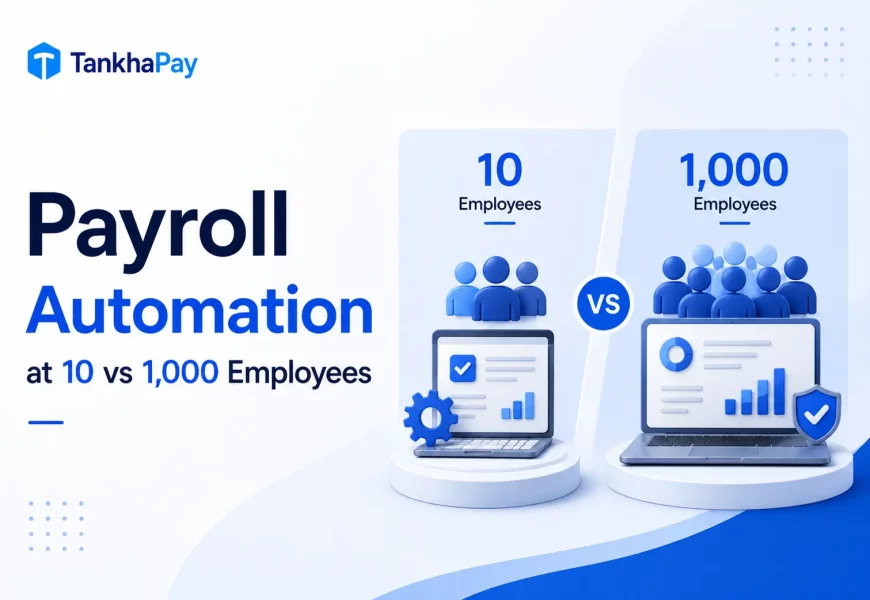
Two companies automate payroll in the same month. One has 18 people in Pune. The other has 1,400 across nine states. They buy different things for different reasons, and the smaller one is often finished first.
Small businesses automate payroll with cloud software they configure themselves, usually live in two to four weeks, and are priced per employee per month. Large corporations run payroll inside an HRMS or ERP with custom approval workflows, dedicated IT support and multi-entity compliance, taking three to six months to implement.
Small vs Large Payroll Automation: Side by Side
| Factor | Small Businesses (under 200) | Large Corporations (500+) |
|---|---|---|
| Implementation | 2 to 4 weeks, self-serve setup | 3 to 6 months, phased rollout |
| Cost model | Per employee per month, no setup fee | Licence plus implementation and support fees |
| Compliance | PF, ESI, TDS, PT in one or two states | Multi-state PT and LWF, multiple entities, audit trails |
| Software | Cloud payroll or light HRMS | Full HRMS, HRIS or ERP payroll module |
| Integrations | Accounting and attendance | ERP, finance, ATS, ticketing, identity systems |
| IT support | None. HR owns the tool. | Dedicated IT and a payroll operations team |
| Customisation | Configuration only, within fixed options | Custom salary structures, rules and pay groups |
| Reporting | Standard statutory and salary reports | Cost centre, entity and business unit analytics |
| Security | Vendor-managed, role-based access | SSO, audit logs, data residency, penetration testing |
| Scalability | Add employees, upgrade plan | Add entities, states, currencies and pay groups |
| Payroll frequency | Monthly | Monthly, plus off-cycle and mid-month runs |
| Approval workflow | One or two approvers | Multi-level, by entity and cost centre |
| Employee self service | Payslips, leave, tax declarations | Full ESS with mobile app and helpdesk routing |
Companies between 200 and 500 employees typically blend both columns: cloud payroll capabilities with the first enterprise-style needs, such as a second state or an approval hierarchy.
How does implementation differ?
A small firm imports the pay sheet to its payroll software, creates laws and runs a parallel cycle. It is owned by one individual, and the time span is quite small.
A large company converts historic data, maps cost centres, recreates the approval hierarchy and tests across entities.
In both cases, payroll software implementation fails at data migration far more often than at configuration.
How does the cost structure differ?
Small business payroll software pricing runs per employee per month with no setup charge. The cost is predictable and scales with headcount.
Enterprise payroll adds implementation, integration and annual support fees on top of licensing. Per-employee cost falls at scale, but the first-year total is much higher.
How does compliance differ?
The statutory rules are identical. The number of places you apply for them is not.
A single-state company tracks one Professional Tax slab. A nine-state company tracks a different slab in every PT-levying state, plus separate Labour Welfare Fund cycles and separate registrations.
Multi-state payroll compliance fails on volume, not on difficulty. Both companies work from the same payroll compliance checklist. One of them applies it many times over.
The central authorities are identical at both ends: EPFO, ESIC and the Income Tax Department. It is the state-level authorities that multiply.
How do integrations differ?
Small businesses connect payroll to accounting and attendance. Two integrations, both standard.
Large corporations push payroll data into finance systems, cost centre reporting and identity management. SAP, Oracle and Workday sit at this end of the market. Gusto and QuickBooks Payroll serve the equivalent SME segment in the United States but do not operate in India.
How does reporting differ?
Small businesses need statutory registers, salary registers and Form 16. These ship as standard.
Large corporations need the same reports split by entity, cost centre and business unit, and delivered to finance on a fixed calendar. That splitting is what the enterprise licence pays for.
How does scalability differ?
Adding employees is easy at both ends. Adding complexity is not.
Small business platforms scale on headcount. They start to strain when you add a second state, a contract workforce or a second legal entity. That is the point where companies migrate.
How does security differ?
The security of small businesses comes from their vendors. If they are ISO 27001-certified and have role-based access, you can skip ahead.
Large companies need single sign-on, audit logging, commitment to data residency, and also a security assessment themselves.
What size business needs which setup?
Cloud payroll suitable for about 300 to 500 people in either a single-state or two-state organization. Beyond that, or with multiple legal entities, the enterprise stack starts to earn its cost.
The industry moves this boundary. A 60-person manufacturer employing shift work and contractors will grow out of SME payroll software before a 200-person IT firm on fixed wages.
How payroll automation evolves from 10 to 1,000 employees
The majority of articles compare two specific states. In reality, there are five states
Stage 1, under 20 employees. Spreadsheet plus a careful person. No PF obligation yet. Automation is optional.
Stage 2, 20 to 50 employees. PF registration becomes mandatory under the EPF Act, 1952. ESI applies to 10-15 employees in most states. Cloud payroll with statutory automation is the right first purchase.
Stage 3, 50 to 200 employees. Attendance links to payroll. Employee self-service removes the payslip requests from HR’s inbox. The approval workflow appears.
Stage 4, 200 to 500 employees. Usually the second state arrives, and with it multi-state PT and LWF. Either your platform handles this natively, or you start manual workarounds. This is the most common migration trigger.
Stage 5, 500 to 1,000+ employees. Multiple entities, cost centre reporting and finance integration. Payroll becomes a system of record rather than a monthly task.
The mistake to avoid is buying for Stage 5 while you are at Stage 2. The mistake that costs more is staying on a Stage 2 tool through Stage 4.
Which option is right for your business?
Start-up, under 20 people. Remain manual if it can be done by one individual who is consistent with the spreadsheet. Move the day you cross 20 or hire in a second state, two of the three triggers covered in who should use payroll software.
Small business, 20 to 200 employees. Cloud payroll with automatic statutory updates. Check that your specific states are covered before signing, which is one of the criteria in our comparison of the best payroll software in India.
Mid-size, 200 to 500 employees. Payroll inside HRMS software, with attendance and self-service connected. Without dedicated payroll expertise in-house, weigh payroll software vs payroll outsourcing before buying either.
Enterprise, 500+ employees. Either Enterprise Payroll with multicompany capabilities or the managed service that does it for you. Plan for three to six months and consider the data migration process your primary risk.
FAQs
Can small businesses use enterprise payroll software?
Yes, but the expense and setup do not warrant this decision. A corporate payroll system requires its own administrator and a significant amount of time to implement. Fewer than 200 employees can use the cloud payroll with the same compliance accuracy.
At what headcount does payroll automation become necessary?
The total number of employees is 20 because PF registration is compulsory in case of such establishments under the EPF Act, 1952. The following two conditions are also applicable irrespective of the size of the establishment.
How long does payroll automation take to implement?
For small businesses with cloud payroll, two to four weeks is the time required, whereas for enterprises, the implementation process can take between three to six months. This time is taken in data migration, not configuration.
Is payroll outsourcing cheaper than payroll software?
No. The outsourcing process is more costly when it comes to the price but saves money on the skill that you hire from the outside.
What happens to payroll data when we switch platforms?
The payroll data is exported, which includes salary history, statutory data, and employee master data, and imported while doing a parallel run. Please check the format of exporting information before signing, as portability differs from vendor to vendor.
Key Takeaways
- Headcount determines when it happens. Complexity determines where it happens.
- A headcount of twenty is the legal threshold. The second state is the migration threshold.
- Small business costs per employee for payroll. Large business costs per employee for payroll, including implementation.
- The compliance rules are identical at both ends. The count of places you apply them is not.
- Buy for the stage you are in, and check the exit path before you sign.
If you are working out which stage your business is in, our team maps payroll setups against headcount, states and industry every week. Book a Strategy Call and we will tell you honestly whether you need software, a managed service, or neither yet.
TankhaPay is a global HR platform by AKAL Information Systems Ltd., delivering HRMS, payroll, and Employer of Record (EOR) solutions to businesses worldwide since 2000. Backed by AKAL, a CMMI Maturity Level 5 appraised and ISO 9001, ISO/IEC 20000-1, and ISO/IEC 27001 certified technology company. TankhaPay serves over 1,000 organizations with secure, scalable, and compliance-driven workforce solutions.