- The best cloud-based HR software in India runs payroll, attendance, leave, compliance, and records from one internet-accessible platform, with no local servers and no manual reconciliation between systems.
- India’s HR technology industry had an estimated value of around $1.2 billion in 2025 and is expected to grow to $2.3 billion by 2034. It is growing much faster than many other enterprise software verticals, such as cloud HRMS, which is growing much faster even than the industry average.
- The one most frequent problem that it solves is not inefficiency per se but a very specific, old-fashioned, and statutory requirement, such as PF, ESIC, licences, and certificates stored in Excel spreadsheets.
- Compliance automation is particularly important in India compared to other countries since the Payroll Fund (PF), Employee State Insurance Corporation (ESIC), Professional Tax, TDS, and Labour Codes 2025 vary for each state and type of employee.
- Mobile access and employee self-service reduce the volume of manual HR queries, not because the technology is impressive, but because employees stop needing to ask HR for things they can already see.
- Security and business continuity are usually the objective, not the risk. A well-run cloud vendor’s security posture is typically stronger than an SME’s own unmanaged local server.
- Comparing costs should also include the cost associated with not changing, that is, penalty risk due to statutory filing deadlines, preparation for audits, and correcting payroll manually.
- The industries that have the highest ROI are those which have the most complicated categories of employees, such as multi-state, high-turnover industries, BFSI, healthcare, and construction.
- While migration may be the largest concern, it is the smallest problem to solve because reputable vendors always run parallel payroll cycles.
An HR department doesn’t opt to adopt the cloud due to a specific feature they have read about in a journal. Problems usually become visible only after something goes wrong. An audit may uncover a compliance gap that the team previously overlooked. Someone may fail to monitor a compliance deadline, causing the organization to miss it. An outdated Excel file containing several years of payroll data may also become corrupted, creating additional operational challenges.
That’s usually the more honest starting point than “digital transformation”. Cloud-based HR software isn’t a trend businesses are adopting because it’s modern. It’s what most growing companies eventually need because the alternative is HR data spread across spreadsheets, email threads, and a local server somewhere. It stops being manageable once headcount, state count, or workforce complexity crosses a certain line.
This guide covers what cloud-based HR software actually is, why the shift away from on-premise and spreadsheet-based HR has accelerated, what specific problems it solves (with real examples, not hypotheticals), how it compares to traditional HR software, what to look for when evaluating a platform, and which industries see the fastest return on making the switch.
What Is Cloud-Based HR Software?
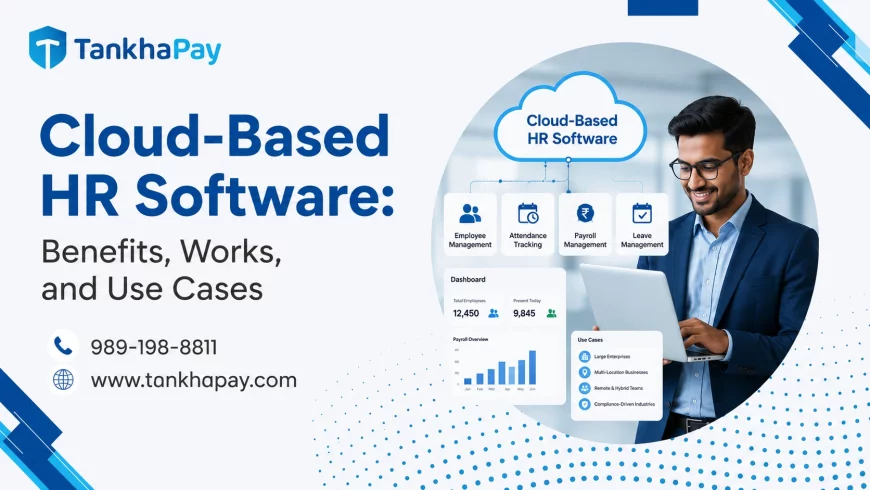
The cloud-based HR software is an HR management software that is stored on the servers of the software vendor and can be accessed via the internet and not the local network of a company. The Cloud Based HR Software manages all payroll, attendance, leaves, personnel records, and compliance, among other HR functions, from one interface which can be accessed by any authorized user from their internet browsers or mobile devices.
How It Works
An HR software program that works through the cloud uses the computing resources provided by the vendor and offers software as a service (SaaS) over the internet. The HR department accesses the hosted application, not the software installed on their computers. The central storage of data and automatic updates performed by the vendor and the access to the same system from the laptop in the main office or from the mobile device on the shop floor – no installation is required elsewhere.
How It’s Different From Traditional (On-Premise) HR Software
Traditional HR software is installed locally on a company’s own servers or individual computers. The company owns and maintains the infrastructure, applies its own updates and security patches, and is responsible for backups. Access is usually limited to whichever machines or internal network the software is installed on.
Cloud-based HR software shifts that responsibility to the vendor. Infrastructure, security patching, uptime, and backups become the vendor’s job, not the buyer’s. The trade-off is a recurring subscription cost instead of a one-time licence, in exchange for not needing an in-house IT team to keep the system running.
Who Uses Cloud-Based HR Software
In practice, three groups drive adoption:
- Founders and small HR teams at startups and SMEs, who need HR infrastructure without hiring a dedicated IT function to support it.
- HR heads and CHROs at mid-size and enterprise companies, who need multi-location, multi-entity, or multi-state operations managed from one system instead of fragmented local tools.
- Finance and payroll teams, who need statutory compliance (PF, ESIC, Professional Tax, TDS) calculated correctly and consistently as regulations and state rules change.
Why Businesses Are Moving to Cloud HR Software
The shift isn’t driven by one factor, it’s several trends converging at once, and most companies feel more than one of them simultaneously.
- Digital transformation has moved HR from a back-office administrative function to a system businesses actively rely on for workforce data, not just payroll processing. As other business functions (finance, sales, operations) digitised first, HR became one of the more visible remaining gaps.
- Hybrid and remote work shattered the belief that everybody punches the clock in one single office using one biometric device.Businesses with employees across multiple cities or branch offices need HR systems that employees can access from anywhere. Teams should be able to manage attendance, apply for leave, and access HR information without location-based restrictions. Cloud HR software makes these processes accessible, consistent, and efficient across every workplace.
- HR automation is no longer a nice-to-have feature. It has become a basic requirement for modern businesses. Organizations use automation to process payroll, manage leave requests, submit compliance filings, and complete onboarding tasks. By automating these routine activities, HR teams save time, reduce errors, and focus on more strategic responsibilities.
- Compliance complexity is really increasing, especially for India. Due to Provident Fund, ESIC, Professional Tax slabs applicable to particular states, TDS under both old and new tax regimes, and the forthcoming Labour Codes of 2025, an expanding business will find it difficult to maintain statutory compliance on a spreadsheet without failing at some point.
- Employee expectations have shifted too. Employees who use consumer apps that show them real-time information expect the same from their employer, checking a payslip, applying for leave, or updating a document shouldn’t require emailing HR and waiting.
Top 21 Benefits of Cloud-Based HR Software in India
The list below covers 20+ real benefit areas. They’re grouped by what they actually solve, because most of these problems compound each other rather than existing in isolation, like payroll errors and compliance gaps, for instance, are usually the same underlying problem showing up in two places.
Payroll and Compliance
Payroll automation:
Manual payroll involves recalculating the salary components, deductions, and statutory contributions every time, generally through a spreadsheet that has to be recreated every month. With cloud payroll software, the gross-to-net calculation, PF, ESIC, Professional Tax, and TDS are automatically calculated according to the current laws, and the calculation is updated if there is any change in the state of the employee or the salary structure. The effect of this on the business is a lower number of corrections and a lesser number of employees receiving wrong payslips every month, which is definitely a trust issue.
Statutory compliance tracking:
It is at this point that the difference between spreadsheets and software is most noticeable in India. The rules for PF, ESIC, and Professional Tax differ from state to state, and the Labour Codes 2025 have changed the definition of salary. A manufacturing firm conducting a test on compliance with minimum wages in 28 different states is shooting at a moving target; software automatically applies the appropriate state slab and identifies the risk before it becomes a liability.
Tax regime and TDS handling:
Since employees can choose between the old and new income tax regimes, payroll has to calculate TDS correctly under whichever one each employee selected. A detail that’s easy to get wrong manually across a large workforce and expensive to correct retroactively.
Audit-ready records:
Compliance Audits – RBI/SEBI audits for BFSI, NABH certification audits for hospitals and NAAC audits for education institutes are all asking for the same thing – HR records that are timely, complete, and retrievable. An HR manager from a private NBFC company mentioned how their compliance audit pointed out missing appraisal records and renewal of certificates of three officers; however, the next audit went off without a hitch because the HR manager had switched to cloud HR systems, which ensured that all renewals were recorded by the system itself.
Licence and certification expiry tracking:
This factor alone can be the determining factor that makes the difference between an incident and the normal process of renewal in regulated or safety-sensitive workforce populations. A logistics firm which used cloud HR management software powered by GPS tracking found 23 drivers whose endorsement on their commercial licence had expired prior to it becoming an incident.
Workforce Visibility
Centralised employee database:
All employee information, from contact details to documents to pay stubs to certifications, exists in one location rather than being spread out between the HR department’s laptop, the finance department’s spreadsheets, and a filing cabinet. This becomes especially relevant precisely at the time when you need it the most, during audits, offboarding processes, or compliance checks.
Attendance management:
GPS-tagged or biometric attendance replaces manual registers or, in some cases, informal tracking through messaging apps. One retail chain was tracking store staff attendance through a WhatsApp group before switching to geo-tagged attendance — a method that works until the business scales past the point where manually reading a group chat is a viable headcount system.
Leave management:
Leave requests, approvals, and balance management go from e-mail or paper-based systems to an automated process that verifies shift availability and manages leave balances. This decreases the amount of paperwork as well as conflicts arising from leaves that are approved before being able to check for shift availability.
Multi-location and multi-branch visibility:
For companies that have many locations such as shops, branches, or other facilities, using the cloud enables HR managers to access information on headcount and attendance at all these facilities from a single portal.
Employee Experience
Employee Self-Service (ESS):
Employees can view their payslips, apply for leave, and update their personal information through a self-service app or portal. This reduces the need for HR to handle routine requests. Fewer employee queries save valuable time and reduce administrative work. As a result, HR teams can focus on strategic tasks that add greater value to the business.
Mobile accessibility:
For those employees who are not at their desks but work from the field, such as retail employees, field sales force, logistics, and construction workers, the application will give them all that is mentioned above. In case of a non-desk workforce, the mobile access option will be the only way for employees to interact with HR applications.
Faster onboarding:
New hire paperwork, document collection, and system access can be handled through structured digital workflows instead of a first week spent manually filling and refilling forms. This matters at any scale, but it becomes a genuine problem at volume. A retail business that initially hired 280 temporary staff for a festival season and onboarded all of them within two weeks, it did so specifically because bulk onboarding tools exist; the same task manually, at that speed, isn’t realistic.
Document management:
Keeping documents like offer letters, IDs, certifications, and policy acknowledgements in one central repository system is more efficient not only from the standpoint of HR but also in case you have to provide the regulator or auditor with these documents immediately.
Growth and Scale
Scalability:
A single HR platform can support businesses with as few as 10 employees or as many as 10,000. Companies can scale their workforce without changing the platform’s architecture. In contrast, spreadsheet-based processes often require major changes as a business grows from 15 employees to 2,000 or more.
Multi-entity and multi-state support:
Businesses operating across multiple states or legal entities need a balance between standardization and flexibility. They require consistent group-level policies across the organization. At the same time, each entity must have the flexibility to meet its own statutory and compliance requirements. This approach gives group HR complete visibility while ensuring every entity remains compliant with local regulations.
Business continuity:
Cloud data isn’t dependent on a single local server or one laptop. If a company’s own hardware fails, HR and payroll data hosted with a cloud vendor isn’t lost with it. A genuinely different risk profile than keeping years of payroll history on a single, unbacked-up machine.
Faster hiring at scale:
An integrated applicant tracking system, connected to the same platform that will eventually run onboarding and payroll for that hire, removes the handoff gap between “candidate accepted the offer” and “candidate exists in the HR system”.
Data, Decisions, and Automation
Reporting and analytics:
Cloud HR software transforms workforce data into real-time dashboards. HR teams can instantly track headcount, employee attrition, payroll costs, and compliance status. This eliminates the need to manually compile reports. It also helps HR leaders and CHROs prepare board-ready reports quickly and make informed business decisions.
Workflow automation:
Routine HR processes become faster and more consistent through automation. Approval hierarchies, policy acknowledgments, disciplinary actions, and performance reviews are automatically routed to the right people. This removes the need to manually forward emails or follow up with employees who have not responded.
AI-assisted insights:
Modern cloud HR systems increasingly use AI to identify workforce trends and potential risks. They can highlight possible employee attrition, skills gaps, or unusual attendance patterns. These insights support HR professionals by drawing attention to areas that may need action. AI enhances decision-making rather than replacing human judgment.
Cost savings over time:
Comparing a software subscription with a free spreadsheet does not show the full financial picture. Manual payroll corrections consume valuable time and increase administrative costs. Businesses may also face penalties for late statutory filings and spend extra effort preparing records for audits. Over time, cloud HR software can reduce these hidden costs while improving operational efficiency.
Cloud-Based HR Software vs Traditional HR Software
| Factor | Cloud-Based HR Software | Traditional (On-Premise) HR Software |
|---|---|---|
| Accessibility | Accessed through any internet-enabled device from anywhere | Limited to installed machines or internal network |
| Security | Managed by the vendor; typically includes encryption, access controls, and dedicated security infrastructure | Company’s own responsibility; often under-resourced at SME scale |
| Scalability | Scales with headcount without infrastructure changes | Often requires new hardware or licences to scale |
| Cost structure | Subscription-based (OpEx); lower upfront cost | Licence + hardware (CapEx); higher upfront cost |
| Updates | Automatic, pushed by vendor, no downtime for the buyer | Manual updates, often requiring IT involvement |
| Compliance updates | Vendor updates statutory rules (PF, ESIC, PT, Labour Codes) centrally | Company must manually track and apply regulatory changes |
| Remote work support | Built for distributed and hybrid teams by default | Typically requires VPN or additional infrastructure |
| Analytics | Real-time dashboards and reporting | Often limited to static, manually generated reports |
| Automation | Workflow and payroll automation built in | Usually requires manual intervention at each step |
| Infrastructure requirement | None — vendor-hosted | Requires in-house servers and IT maintenance |
Features Every Cloud HR Software Should Have
A practical checklist for evaluating any platform:
-
- Automatic payroll calculations for PF, ESIC, PT, TDS
- Biometric, GPS or geofencing-based Attendance system
- Employee Self-Service Portal & Mobile app
- Advanced analytics and reports rather than basic exports
- Auto-updating compliance management based on any regulatory changes
- Integrated recruitment / ATS solution including onboarding
- Performance management (Goal setting, reviews, and Feedback cycle)
- Document Management with secure storage and easy access
- Automation of HR workflows
- Mobile application for non-desk and field employees
- Ability to integrate using APIs with Finance / ERP / Accounting software
- Third-party integrations (Accounting, ERP, communication, etc.)
- Role-Based Access Control so that sensitive information can only be accessed by authorised personnel
- Logging of all changes with user and timestamp
- Use of AI in an actually meaningful way (Attrition Prediction, anomaly detection, etc.)
Industries That Benefit Most
Some industries see faster, clearer returns than others, usually because their workforce complexity or compliance exposure is higher to begin with.
| Industry | Why Cloud HR Software Matters Most |
|---|---|
| Manufacturing | Shift-based attendance, contract labour under CLRA, and multi-state minimum wage compliance are difficult to track manually at scale |
| Healthcare | Credentialing of clinical staff (NMC registration, nursing licences, BLS/ACLS certifications) |
| Retail | Large amount of hiring during the seasons and presence in multiple stores makes manual tracking difficult |
| IT & Software | ESOP administration, remote/distributed teams, and multi-state Professional Tax for employees working outside the registered office state |
| BFSI | Regulatory audit-readiness (RBI/SEBI), certification tracking (AMFI/IRDAI/NISM), and variable pay deferral rules for senior roles |
| Education | Two-track HR for teaching and non-teaching staff, academic calendar leave, and NAAC/UGC faculty credential records |
| Construction | Interstate migrant worker compliance (ISMW Act), contract labour (CLRA), and project-based bulk full-and-final settlements |
| Logistics | GPS-based driver presence, management of commercial license expiry, and per-trip incentive schemes |
| Hospitality | Split-shift payroll, high turnover rate, and quick settlement |
| Startups | Day-1 HR system setup without HR department, taxation of ESOPs, and scaling of compliance with increasing headcount |
Cloud HR Software Use Cases
Small business (10–50 employees):
Early-stage companies hiring their first 10–15 employees usually don’t have a dedicated HR team. In most cases, the founder or operations head manages payroll using Excel spreadsheets. At this stage, businesses need Day 1 statutory registrations such as PF and ESIC. They also need accurate payroll from the first hire and structured HR processes. Building these foundations early prevents the company from creating HR systems from scratch after reaching 50 employees.
Mid-size company (50–500 employees):
At this stage, operational inefficiencies often become serious business challenges. These issues can affect multiple departments and locations at the same time. Payroll errors no longer impact just a few employees. Instead, they can affect dozens of people across the organization. As a result, businesses begin prioritizing HR automation, attendance tracking, leave management, and payroll accuracy. They also need compliance monitoring across every state where they operate.
Enterprise (500+ employees, multi-entity or multi-state):
Large enterprises require much more than basic HR functionality. Their priority is strong governance and scalability. They need multi-entity architecture, centralized policies, and the flexibility to meet entity-specific requirements. Seamless integration with ERP platforms such as SAP and Oracle is also essential. Advanced approval workflows, detailed analytics, and CHRO-level reporting help organizations manage complex operations efficiently.
Common Myths About Cloud HR Software
Cloud isn’t secure:
In many cases, the opposite is true. Cloud-based HR software providers invest heavily in security measures such as encryption, access controls, and dedicated infrastructure. These protections are often stronger than what most small and medium-sized businesses can maintain on local servers. In reality, unpatched local computers and outdated systems pose a greater security risk than a well-managed cloud environment.
It’s too expensive:
The subscription cost is easy to see, but the hidden costs of manual HR processes are often overlooked. Payroll corrections, penalties for late statutory filings, and the time spent preparing records for audits can become expensive. Over time, these indirect costs may exceed the price of cloud HR software.
It’s only for large enterprises:
Modern cloud HR software is designed for businesses of all sizes. Most providers use a per-employee pricing model, making the software affordable for startups with as few as 15 employees. Smaller businesses often benefit the most because they can automate HR tasks without hiring dedicated HR or IT teams.
Migration is too difficult:
Data migration is usually a structured and manageable process. Reputable HR software providers typically run payroll alongside the legacy system for at least one payroll cycle. This parallel run helps identify and resolve any discrepancies before the final switch, ensuring a smooth transition.
How to Choose the Right Cloud-Based HR Software
Buying Checklist
- Does it cater to your individual state and compliance footprint (not only PF/ESIC generally, but specifically the Professional Tax slab applicable in your states and any other industry-specific compliances)?
- Does it have a mobile app usable by non-desk employees, if you have any (retail, field, or factory floor)?
- Can it scale from your current headcount to your projected headcount without a platform migration?
- Does it work well with your existing accounting/ERP system?
- How long will the actual implementation take, given the size of your business? Get a specific timeframe; don’t settle for “quick and easy”.
- Whose responsibility is it to make sure that the data transfer is accurate?
Questions to Ask Vendors
- How would you take care of statutory changes when there are changes in PF, ESIC, or professional tax laws?
- What would be your implementation schedule for a company of our size?
- Is there parallel payroll run while migrating, and for how many cycles?
- What is the list of your data security certifications, such as ISO 27001, SOC 2, or anything else?
- Can I get a demo of your product that handles our workforce intricacies rather than a generic one?
- Is the data exportation process in case of any future disconnection easy?
Why Cloud HR Software Is the Future
A few trends are shaping where this category goes next, not as speculation but as extensions of what’s already happening:
- It is becoming less about marketing points about AI-assisted HR and more about actual functionality such as warning when a person is likely to leave, detecting anomalies in attendance, and automatic auditing for compliance problems.
- Predictive analytics for workforce planning (attrition forecasting, headcount modelling) is becoming standard rather than a premium add-on.
- Deeper automation is extending further into HR workflows that used to require manual judgement calls for routine cases, like approvals, routine compliance filing, and policy acknowledgement tracking.
- Employee experience Businesses increasingly view employee experience as a key driver of retention rather than a nice-to-have benefit. Employees now expect self-service tools, mobile access, and workplace transparency as standard features. These capabilities have become basic requirements instead of competitive advantages.
- Digital HR as infrastructure, not as a project: the context is moving away from thinking about digital HR as “implementing a new HR system” to “HR software as infrastructure that a company absolutely needs past a certain size”, much like accounting software used to be long ago.