
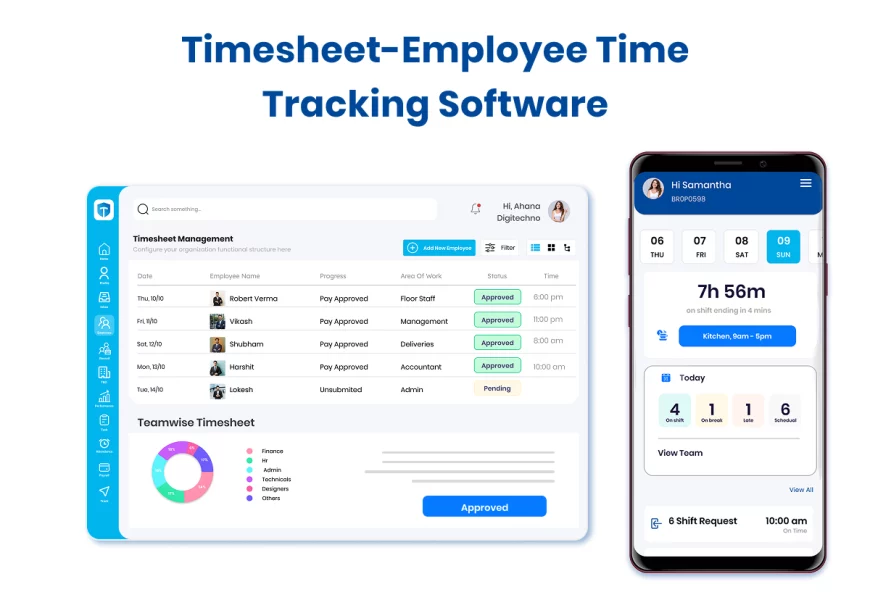
Do you still track work hours on Excel sheets or paper? It’s time to rethink your process.
A timesheet tracks the time employees spend on tasks, projects, or overall work. Earlier, businesses relied on paper forms or spreadsheets where employees manually entered hours. Today, digital timesheet software and mobile apps automatically capture attendance, leave, overtime, and project hours with ease.
Businesses are used to streamline payroll with accurate working hours, monitor project progress by tracking time on tasks. As well as how effectively employees use their working hours, We use management software to analyze and measure productivity.
What is Timesheet?
Timesheets help you keep track of how much time employees spend on tasks, shifts, or projects — This process is done very easily. Earlier, ensuring this work was very difficult and prone to errors, many teams used resources like paper or excel sheets for this, Modern businesses are now adopting smarter, cloud-based systems. These digital timesheets easily integrate with payroll software, attendance, and even project tracking — The most important thing is that in this process, a lot of valuable time is saved. And there is also no chance of mistakes.
Timesheet Definition
A timesheet is a record used to track the number of hours an employee spends working on tasks, projects, or shifts during a specific period. It helps businesses calculate payroll accurately, attendance tracking, and measure employee productivity.
Traditional Timesheet
A traditional timesheet is a paper record or Excel sheet where employees manually enter details such as their working hours, overtime and breaks, etc. They are easy to use at first, but they often lead to mistakes, including time theft and delays. Managing approvals and calculations yourself can be time-consuming, especially for growing businesses.
Key Drawbacks:
- Prone to mistakes and inaccuracies.
- Difficult to manage for large teams.
- Time-consuming approvals.
- Limited insights and reporting.
Digital Timesheets
A digital timesheet is one that is powered by a timesheet software laptop and mobile apps, which are much easier to operate than a traditional timesheet, which automates the time-tracking process. Employees can enter time with a single tap. While managers get real-time insights into working hours, tasks completed, and project progress. Digital timesheets also integrate the payroll process with other HR systems, making the payroll process faster, more accurate, and less time-consuming.
Key Benefits:
- Accurate, real-time data tracking.
- Easy approvals and reminders.
- Integration with payroll & HR software.
- Reports and analytics for productivity.
- Accessible anywhere via cloud or mobile app.
From Paper to Platform-Why You Need a Timesheet Software
Manual timesheets had their time—but today’s fast-paced work culture demands more. Paper logs and spreadsheets may seem easy—but they often cause more trouble than they’re worth. Missed entries, approval delays, and constant back-and-forth drain your team’s time and energy. That’s why modern businesses are switching to automated time tracking—it’s faster, more accurate, and far easier to manage.
Modern timesheet software automates data capture, provides real-time dashboards, integrates with payroll, and enables employees to log hours from anywhere—saving HR teams countless hours each month.
Whether you’re tracking daily attendance, project-wise time allocation, or shift hours, a good timesheet solution makes it effortless, accurate, and audit-ready.
Type of Timesheets
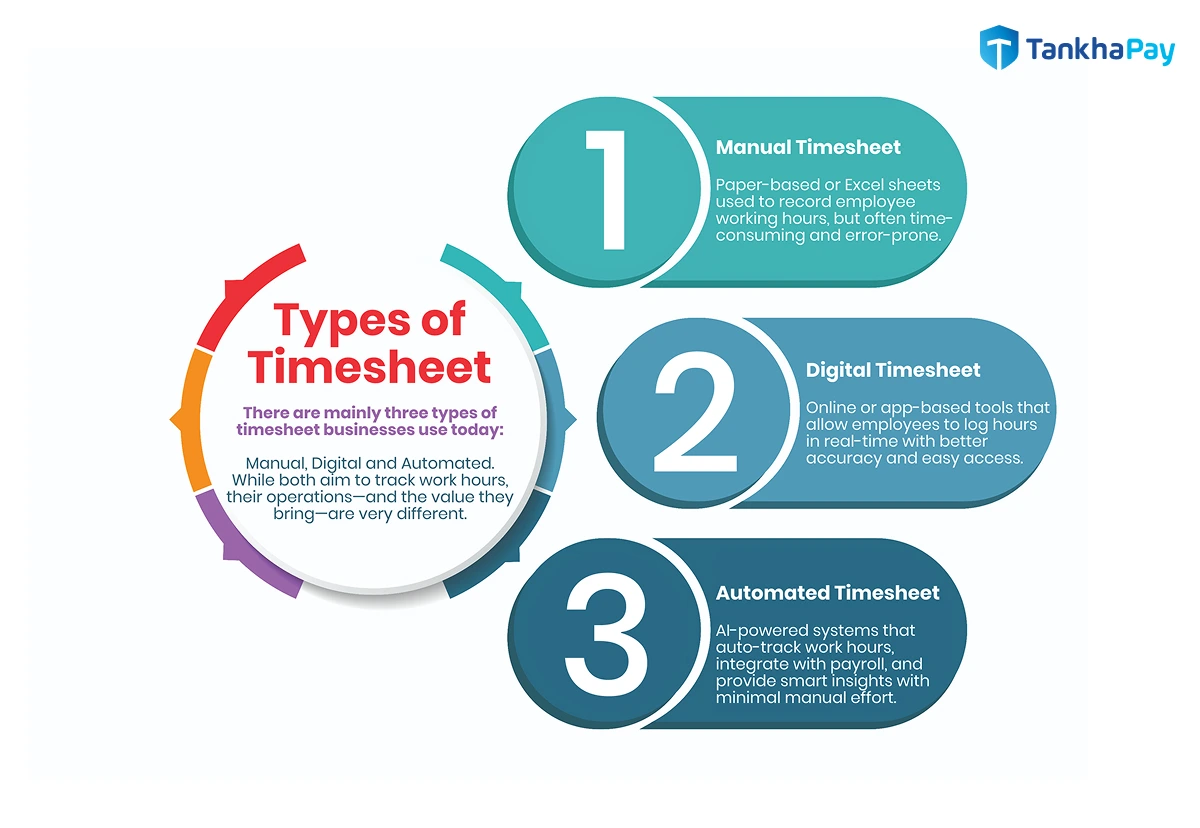
There are mainly three types of timesheets businesses use today: manual and digital. While both aim to track work hours, their operations—and the value they bring—are very different.
Manual Timesheets
These include Excel sheets, paper-based logs, or simple attendance registers. They’re often used by small teams or in traditional industries. But manual systems come with risks
- Prone to human error and manipulation
- No real-time insights or approvals
- Time-consuming to process for payroll
Digital Timesheets
Modern HRMS platforms, such as TankhaPay, offer digital timesheets that automate tracking, integrate with payroll, and provide real-time dashboards. With features like punch-in/out, geotagging, and shift-based tracking, digital timesheets eliminate guesswork and save hours of admin work.
Key Drawbacks:
- Accurate and automated time tracking.
- Easy integration with payroll and HRMS systems.
- Accessible on any device — desktop, mobile, or cloud.
- Provides reports, analytics, and insights for productivity.
- Saves time and reduces administrative burden.
Automated Timesheets
Automated timesheet tools that use software and AI to record employees’ work hours without any manual input. They can view attendance, overtime, and project tasks in real-time, reducing errors and saving HR teams valuable time. By integrating with payroll and salary systems, automated timesheets ensure accuracy, compliance, and a smooth payroll process. They also provide smart insights about employee productivity, making them a modern solution for businesses of all sizes.
Timesheet Calculator: How to Work – Step by Step Guide
A Timesheet Calculator is a simple and powerful tool for accurately tracking employee work hours. Keeping a tab on work hours is essential for both employees and companies. It allows quick calculation of total working hours, overtime, and break hours without any errors. Whether you are an employee, freelancer, or business owner, using a timesheet calculator makes your work easier and more reliable.
How to Choose the Right Timesheet Calculator
First, choose the best employee time calculator tool to calculate employee working hours. Look for a tool that supports AM/PM format, weekly totals, overtime tracking, and easy export options. Here is the complete process of using a timesheet calculator with simple examples.
Step 1: Enter Basic Work Details of the Employee
Enter the following basic details to get started:
- Employee Name
- Date, Week, Month or Specific Day of Work
- Job or Project Name
Example
- Employee: Shivdeep Srivastava
- Week: 1st – 7th September 2025
- Project: Website Development
Step 2: Add Login and Logout Time
Enter the login and logout time for every working day. All timesheet calculators support AM/PM format or 24-hour format.
Example (Day 1)
- Start Time: 09:30 AM
- End Time: 06:30 PM
Step 3: Enter Break Hours Timing
If you have taken a lunch break, tea break, or any other break, add the total break time. The calculator will automatically subtract it from your total working hours.
Example
- Break Start: 01:30 PM
- Break End: 02:30 PM
Step 4: Calculate Total Hours Per Day
The calculator will now show your total working hours for the day after subtracting break time.
Example Calculation
- Start: 09:00 AM
- End: 06:00 PM
- Break: 1 hour
- Total Hours = 8 hours
Step 5: Repeat for the Entire Week
Follow the same process for each day of the week. The timesheet calculator will add up your daily hours and display weekly totals automatically.
Example Weekly Total
- Monday: 8 hours
- Tuesday: 8.5 hours
- Wednesday: 7.5 hours
- Thursday: 8 hours
- Friday: 8 hours
- Saturday: Weekly Off
- Sunday: Weekly Off
- Total Weekly Hours = 40 hours
Step 6: Check Overtime Hours
If you work more than the standard hours, the calculator highlights overtime automatically. This helps with accurate wages and employee benefits calculation.
Example
- Standard Weekly Hours = 35
- Total Worked = 40
- Overtime = 5 hours
Step 7: Save or Export the Timesheet
Most calculators allow you to download, save, or export the timesheet report in Excel, PDF, or online format. You can share it with your HR department or keep it for your personal records.
Benefits of Using a Timesheet Calculator
- Saves time compared to manual calculation
- Reduces payroll errors
- Improves transparency for employees and employers
- Helps in project cost tracking
- Supports compliance with labor laws
Timesheet use cases
A timesheet is more than just a way to record attendance—it’s an essential and powerful business tool. An essential tool for any company, timesheets are used to track work hours, accurately process payroll, monitor projects, bill clients, and measure productivity. With a clear understanding of time management, managers can ensure fair wages, compliance with labor laws, and improved workplace efficiency while also reducing payroll errors.
How does a Timesheet work?
Digital timesheets simplify the process of recording and managing employees’ work hours via software, apps, or cloud platforms. Unlike earlier offline methods, it offers automation, accuracy, and real-time updates. Here’s a step-by-step guide on how the process works:
Step 1: Employee Timesheets Login
Employees log in to the timesheet software or mobile app using their own credentials. This ensures accurate user identification and allows them to enter their details.
Step 2: Time Tracking
Employees can automatically enter their arrival and departure times in the digital timesheet portal. In this timesheet feature, leaves, overtime and vacations are also recorded in real time. Which employees can enter very easily.
Step 3: Task/Project Allocation
Working hours are associated with particular tasks, projects, or clients. This provides the manager with a clear picture of how much time is spent on each activity.
Step 4: Automatic Calculations
The system automatically provides daily, weekly, and monthly totals, including overtime. This eliminates errors typical in manual entries.
Step 5: Manager Review and Approval
Supervisors can view, edit, and approve timesheets online. Reminders or notifications are provided if some entries are missing or require correction.
Step 6: Payroll and HR Integration
Approved digital timesheets automatically integrate with payroll, billing, or HR software. Salaries, invoices, and project expenses are automatically processed.
Step 7: Secure Recordkeeping
Data is securely stored in company servers or in the cloud. This makes it convenient to retrieve timesheets for audits, compliance, and performance reviews.
Step 8: Analytics and Insights
Companies are able to create customized reports and dashboards to monitor worker productivity, project expenses, attendance, and general efficiency.
Timesheet Template
A timesheet template is a pre-designed format used by businesses and employees to record working hours, tasks, attendance, overtime, and project details. It works as a ready-to-use framework, so there is no need to create a new sheet every time but employees can directly enter their work details.
Exact Meaning of Timesheet Template
A Timesheet Template simply means a structured document (in Excel, Word, PDF, or software form) that helps track:
- When employees worked (hours/days).
- What tasks or projects they worked on.
- Any extra hours, leaves, or breaks.
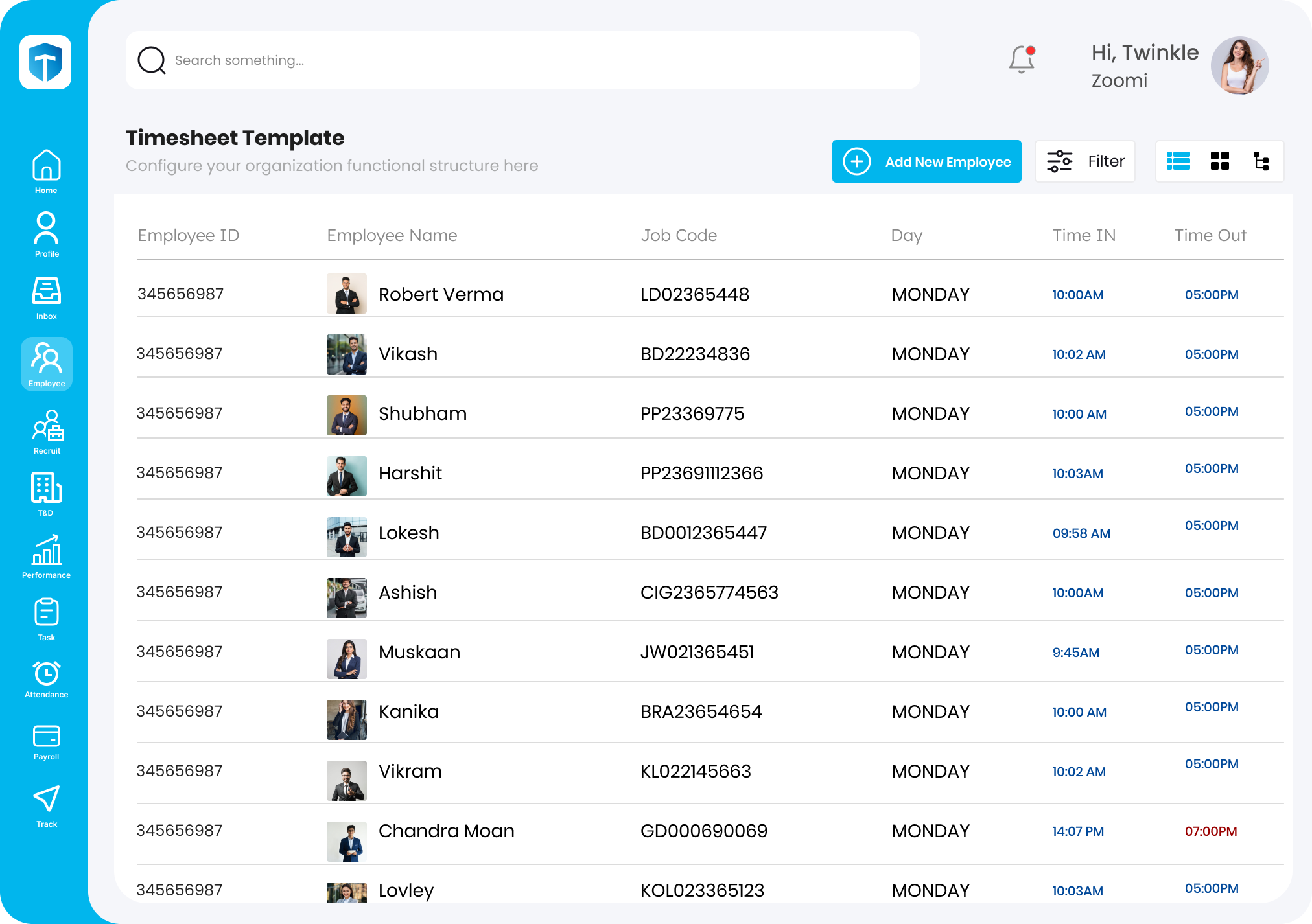
This template is then used by businesses for payroll processing, project tracking, and productivity analysis.
Advantages of Timesheet Software
Modern timesheet software does more than just track hours—it gives your HR and operations teams a strategic advantage. Here’s how
1. Accurate Payroll & Billing
With automated time tracking, you eliminate guesswork and ensure employees are paid precisely for the hours worked—no more overpayments or disputes.
2. Productivity Insights
Get a clear picture of where your team’s time goes—across tasks, departments, or shifts. Spot bottlenecks early, track real performance, and make smarter decisions with real-time data.
3. Smarter Project Management
Map every hour to the right task or client. Stay on top of budgets, deadlines, and team efficiency—without jumping between tools.
4. Compliance Made Easy
Digital timesheets help you stay audit-ready. Maintain logs, approvals, and shift records that comply with labor laws and internal policies.
5. Remote & On-field Tracking
Whether your team works in-office, remotely, or on job sites, GPS-enabled timesheets allow accurate check-ins from anywhere.
Must-Have Features in a Timesheet Software
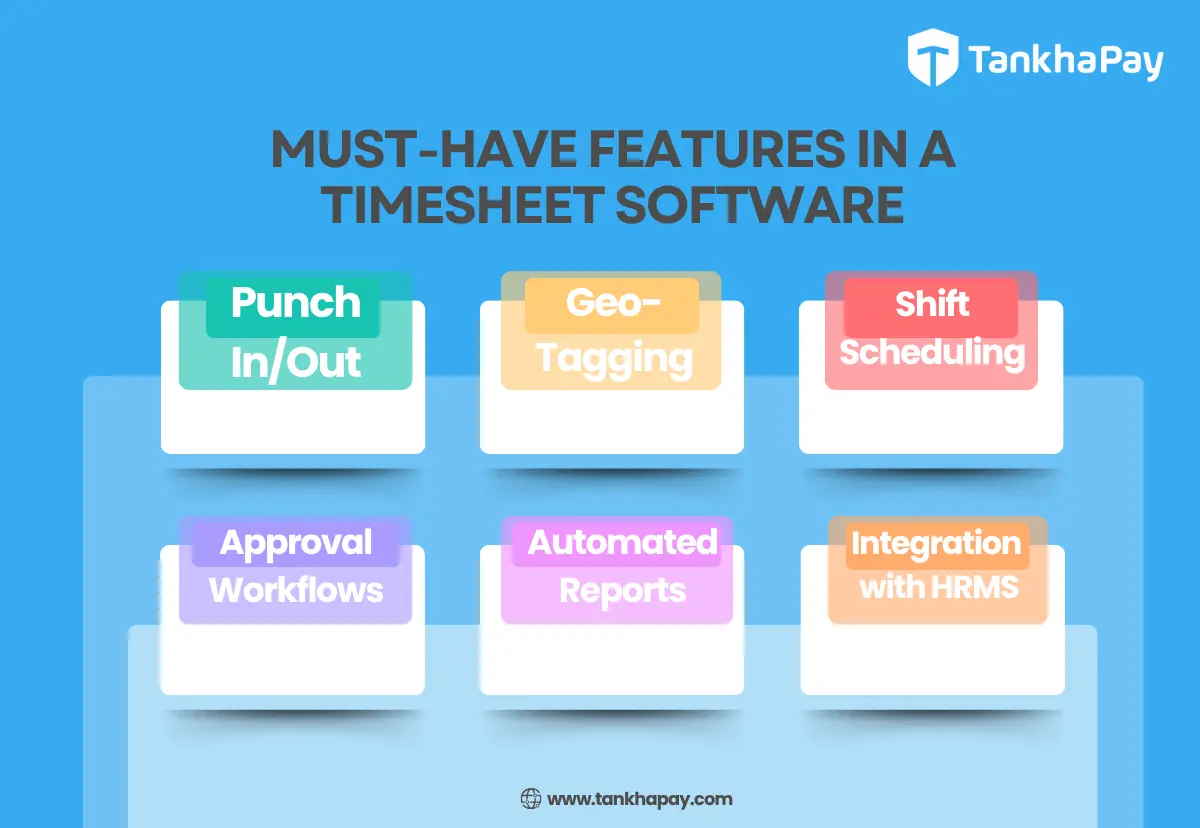
Not all timesheet tools are created equal. To truly make time tracking effortless and efficient, your timesheet software should come equipped with these key features
1. Easy Punch In/Out
Let employees mark attendance in just a tap—whether on mobile or web. Look for systems that support real-time tracking with minimal friction.
2. Geo-tagging & Geo-fencing
Especially useful for field or distributed teams, geo-enabled timesheets help you verify on-site check-ins and prevent proxy punching.
3. Shift Scheduling
Assign and track employee shifts with clarity. Advanced timesheet software lets you set shift rules, manage rotations, and track late/early punches.
4. Approval Workflows
Managers should be able to approve or reject timesheets, flag inconsistencies, and leave remarks—all within the platform.
5. Automated Reports
Generate attendance, overtime, project-wise time, or payroll-ready reports in one click. Smart analytics = smarter decisions.
6. Integration with Payroll & HRMS
To save time and avoid manual entry, your timesheet must sync directly with payroll, leave, and compliance modules.
Why Choose TankhaPay’s Timesheet Software?
TankhaPay’s built-in timesheet software is designed for growing teams that want to save time, reduce errors, and manage their workforce seamlessly—all in one place.
Here’s what makes it a preferred choice for 3000+ businesses
1.Integrated with Full HRMS Suite
From attendance and payroll to leaves and onboarding—TankhaPay gives you a unified experience. No need to juggle between multiple tools.
2. Ideal for Remote, On-site & Distributed Teams
Whether you’re managing factory staff, remote employees, or field workers, TankhaPay’s geo-enabled timesheets offer accurate, location-based tracking.
3. Payroll-Ready Data
Automatically syncs work hours with payroll and compliance modules, ensuring accurate and effortless salary processing.
4. Smart Dashboards & Insights
Access real-time attendance trends, shift data, and productivity analytics—everything you need to optimise team performance.
5. Custom Rules & Approvals
Configure timesheet workflows based on your organisation’s needs—shift rules, overtime logic, manager approvals, and more.
With TankhaPay, timesheets don’t just track time—they power smarter decisions.
Application of Timesheet Software
Timesheets are no longer just for logging hours—they play a strategic role across different teams and industries. Here’s how businesses use them
1. Manufacturing & Field Operations
Track shift-based workers, monitor time spent on machines or sites, and ensure accurate job costing.
2. IT & Services Sector
Record billable vs. non-billable hours, allocate resources across projects, and improve productivity tracking.
3. HR & Admin Teams
Automate attendance, leave, and overtime records—feeding directly into payroll and compliance workflows.
4. Project Management
Track how much time actually goes into each task or client project. This helps you stick to deadlines, stay within budget, and avoid last-minute surprises.
5. Remote & Hybrid Workforces
Keep a clear view of work hours—even when your team is spread across cities or working from home. It builds trust and ensures accountability without micromanaging.
Conclusion
Tired of chasing attendance records, manual errors, and payroll mismatches?
Switch to TankhaPay’s Timesheet Software—your all-in-one solution to track time, manage shifts, and run payroll with complete accuracy.
TankhaPay simplifies time tracking for startups, MSMEs, and enterprises alike—making workforce management effortless. Book your free demo today and see it in action.
The best HR software in India? now includes timesheet management as a core feature. Startups and enterprises alike use it to simplify attendance tracking, payroll, and performance reviews. Smarter time tracking powers it all.









In this blog, TankhaPay explains how timesheet management software streamlines time tracking, improves accuracy, and integrates with payroll, helping businesses save time and enhance overall efficiency
Helpful Content
Efficient, accurate, user-friendly information.
Great insights! Accurate timesheet management isn’t just about hours—it drives payroll accuracy, compliance, and efficiency, making it super helpful for businesses