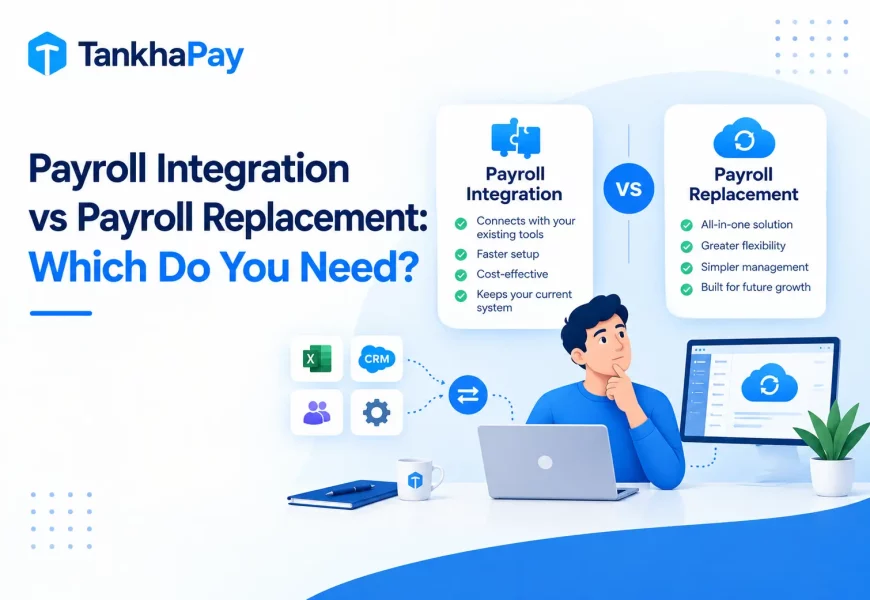
There is no need for changing your HRMS simply because there is no payroll in it. It is possible for companies to implement payroll within the framework of one of the following three options: using a payroll module available in the current system, implementing third-party payroll software via API integration, or attaching a payroll layer that works along with the current system. The choice would depend on the architecture of your HRMS and the degree of payroll complexity.
Quick answer: Check if you have an inbuilt payroll system in your HRMS in the first place; this is the easiest way out. In case you do not have one, then it will be advisable to get payroll software from outside. You should avoid replacing your entire HRMS just to get payroll.
Can You Add Payroll to an Existing HRMS?
Yes, in most cases. There are three practical approaches, and they aren’t interchangeable:
Native payroll module. Payroll can be added as an extra module within some HRMS systems. The easiest choice, provided that the option is available, because the employees’ data will already be integrated. There is a downside to this – the lack of specific modules can sometimes mean less knowledge about the legal requirements in India.
External payroll software integration. Payroll software connects to your existing HRMS through APIs or supported connectors, pulling employee, attendance, and leave data automatically. This keeps your HRMS as the system of record for HR while giving you a dedicated, often deeper, payroll engine.
Payroll layer or add-on. A less intrusive solution that exists in parallel with your HRMS, instead of being fully integrated into it, sometimes involving more manual data synchronization than a complete API integration. Useful for basic payroll solutions; tends to fall short in more complicated situations.
How to Add Payroll to Your Existing HRMS
The practical process, in order:
- Check whether your HRMS supports payroll natively. This is where you should begin before looking at any other options.
- Identify what employee data needs to sync, master records, salary structures, bank details, and tax declarations.
- Confirm the integration method, API, a pre-built connector, or manual export/import, since this determines how much ongoing manual work remains.
- Map attendance and leave data specifically. This is usually where integrations break down if not planned carefully.
- Configure salary structures and statutory components such as PF, ESI, Professional Tax, and TDS in the payroll software.
- Set payroll approval workflows so the handoff between systems has a clear sign-off point.
- Connect accounting or ERP systems where payroll needs to post journal entries.
- Run a parallel or test payroll cycle before going live, this is the single most important step for catching configuration errors early.
- Validate calculations and reports against what your current process produces.
- Move to production, and keep the parallel-run habit for any future rule change.
What Data Should Flow Between HRMS and Payroll?
| HRMS Data | Payroll Impact |
|---|---|
| Employee master data | Employee payroll profile |
| Attendance | Paid days, LOP, overtime |
| Leave | Paid/unpaid leave and LOP |
| Salary structure | Gross salary and earnings |
| Employee changes | Payroll revisions |
| Bank details | Salary payments |
| Reimbursements | Payroll additions |
| Statutory information | PF, ESI, PT, TDS calculations |
If any row in this table currently requires manual re-entry between systems, that’s the specific gap an integration needs to close, not a reason to assume the whole HRMS needs replacing.
Native Payroll vs Payroll Integration vs Payroll Layer
| Factor | Native Module | API Integration | Payroll Layer |
|---|---|---|---|
| How it works | Built into existing HRMS | Separate payroll system, connected via API | Add-on running alongside HRMS |
| Implementation effort | Low, if module exists | Moderate | Low to moderate |
| Data sync | Automatic, shared database | Automatic, if API is well-built | Often partial or scheduled |
| Control | Limited to what the HRMS offers | High, dedicated payroll logic | Moderate |
| Flexibility | Low | High | Moderate |
| Best suited for | Simple payroll needs, existing HRMS is capable | Growing complexity, need for dedicated compliance depth | Basic needs, low integration budget |
| Main limitation | Compliance depth often shallow | Requires reliable API/connector on both sides | Can recreate manual reconciliation at scale |
How Attendance and Leave Integration Actually Affects Payroll
Here is where the lack of integration causes the most effort manually. Tardiness, half days, unapproved time off, overtime, and shift differentials all affect how much an employee owes, and each one must be accounted for properly in the payroll before running it. With an organization that has one location and fixed work hours, it is not too difficult to do this manually. With a company having multiple sites or different shifts, the need for integrating attendance with payroll is exactly the kind of manual work to be avoided.
How Payroll Integration Reduces Manual Work
These benefits are functional rather than revolutionary; fewer CSV exports and imports, reduced duplication of data entry from one system to another, reduced error creation during the transition, faster data processing because the data does not have to be re-entered, an enhanced audit trail because the edits take place in their natural environment, and simplified reconciliation of attendance, payroll, and accounting. These do not mean that the approval process is not required; it just means that the step which causes the errors is eliminated.
What to Check Before Adding Payroll to Your Existing HRMS
- Is there any API provided by the HRMS or just export?
- How is the synchronization of employee master data managed?
- Does attendance get integrated automatically, or does it require manual mapping?
- Same as for leave and LOP?
- Is the payroll module compatible with your salary structures?
- Does the PF, ESI, PT, and TDS process follow current Indian regulations?
- How is payroll approval tracked?
- Is there an audit trail?
- What payroll reports are available?
- Does it connect to your accounting or ERP system?
- How is data secured in transit and at rest?
- Who has access on each side of the integration?
- Can historical payroll data be retained and retrieved?
- What implementation support is actually available?
When Should You Add Payroll Instead of Replacing Your HRMS?
Add payroll when: your HRMS handles HR processes well and payroll is the only real gap, employee and attendance data can be integrated cleanly, you want to avoid migration disruption, and you need stronger payroll or compliance capability specifically, not a broader HR overhaul.
Consider replacing the HRMS when: when the software really can’t interface with the payroll system (no API, no supported interface), you already have your data split up between multiple systems that don’t interoperate, your core HR functions are lacking regardless of payroll, or when the expense of managing multiple systems has become bigger than the consolidation cost.
Can TankhaPay Work With Your Existing HRMS?
TankhaPay’s payroll includes attendance and leave integration, statutory compliance for PF, ESI, TDS, and Professional Tax, and accounting or ERP integrations, including Tally, SAP, QuickBooks, Oracle HCM, and Xero. Whether it can connect specifically to the HRMS you’re already running depends on what that platform’s API or connector options actually support, that’s not something to assume either way without checking directly.
If you are analyzing the decision of whether to add payroll to what you have or go for a combined solution on one platform, this is something that needs to be discussed directly with respect to TankhaPay’s payroll software and your needs in terms of integration.
FAQs
Can I add payroll to an existing HRMS?
Usually yes, through a native payroll module if your HRMS has one, or by integrating external payroll software through an API or supported connector.
Can payroll software integrate with an existing HRMS?
It depends on whether the HRMS exposes an API or connector. Not every combination is supported, always confirm directly with both vendors rather than assuming compatibility.
How does payroll integrate with HRMS?
Typically through API connections that sync employee master data, attendance, and leave from the HRMS into the payroll system automatically, reducing manual export and re-entry.
What data is shared between HRMS and payroll?
Employee master data, attendance, leave, salary structure, bank details, and statutory information, each feeding a specific part of the payroll calculation.
Should I replace my HRMS to add payroll?
Rarely, unless it truly can’t integrate with any payroll system or your core HR functionality is already inadequate. Most businesses can add payroll without a full replacement.
What should I check before integrating payroll with my HRMS?
The existence of the API, the manner of syncing of attendance and leaves, the correctness of India compliance, if any, and the kind of audit trail and reporting provided by the integration.