Most articles on this topic open with a numbered list. Ten types, or eleven, or eight, depending on who wrote it.
The lists disagree because the question contains a hidden assumption: that payroll software divides into mutually exclusive categories. It does not.
This guide sets out the dimensions that actually distinguish payroll systems, explains which of them matter when you are buying, and shows how to work out which combination your organisation needs.
How many types of payroll software are there?
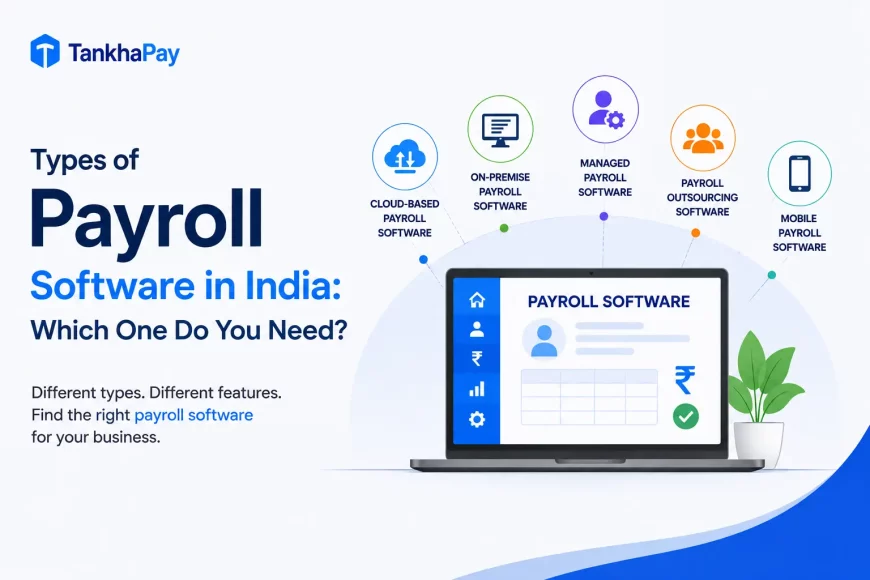
Payroll software is classified across seven dimensions: deployment, functional scope, organisational complexity, service model, geographic scope, industry specialisation and technology capability. Each dimension produces its own categories, and most platforms sit in several at once.
That is why published lists range from eight to twelve types. They are counting across dimensions and presenting the result as a single list, which is why no two lists agree.
A single platform can be cloud-based, HRMS-integrated, attendance-linked, India-compliant and enterprise-grade at the same time. Those are not five competing types. They are five different questions about the same product.
Payroll software categories at a glance
However, the table shown below is merely a classification system and not an inventory of products that compete for the same position because each item in the table falls into precisely one of the seven categories mentioned above; hence, the reason why the same product occupies more than one row.
| Category | Dimension | What defines it | Best suited for |
|---|---|---|---|
| Cloud-based payroll | Deployment | Hosted online, accessed through a browser | Most organisations today |
| On-premise payroll | Deployment | Installed and hosted on your own infrastructure | Organisations with specific data control or infrastructure requirements |
| Standalone payroll | Functional scope | Core payroll functionality without wider HR modules | Businesses with stable, uncomplicated payroll |
| HRMS with payroll | Functional scope | Payroll integrated with employee records, leave and attendance | Organisations centralising HR data |
| Payroll with attendance | Functional scope | Attendance and shift data feeding payroll directly | Shift-based, field and large hourly workforces |
| Payroll with accounting or ERP | Functional scope | Payroll connected to the general ledger and cost centres | Finance-led organisations |
| Enterprise payroll | Organisational complexity | Multi-entity, multi-location, governed and integrated | Large or structurally complex organisations |
| Managed payroll | Service model | Payroll technology delivered alongside a professional service | Organisations outsourcing the function |
| Global payroll | Geographic scope | Payroll across multiple countries and currencies | Multinational organisations |
| Industry-specific payroll | Industry specialisation | Configured for a sector’s workforce and statutory profile | Manufacturing, construction, healthcare, logistics and similar |
| Automation and AI-enabled payroll | Technology capability | Automated validation, checks and reporting | Organisations reducing manual payroll effort |
What is payroll software?
Before classifying it, it helps to define what the category covers, because “payroll software” is used loosely in the market.
Payroll software is an application that calculates employee compensation, applies statutory and voluntary deductions, generates payslips and produces the records and returns required by law.
That involves computing gross to net, Provident Fund, Employee State Insurance, Tax Deducted at Source, Professional Tax and Labour Welfare Fund as per the requirements and preparing payslips and registers as per the requirements of the respective authorities.
A fuller treatment of the category sits in what is payroll software.
Is payroll software a type of application software?
Yes. Payroll software is business application software, which is a subset of application software. The distinction is worth drawing because it clarifies what payroll software is not.
- System software operates the computer itself: operating systems, device drivers, and utilities. It serves the machine.
- Application software performs tasks for a user. Word processors, browsers and spreadsheets are general-purpose application software.
- Business application software performs a specific organisational function. Accounting systems, customer relationship management and human resource systems fall here.
- Payroll software belongs to the latter category, in the HR software category. The complete sequence is as follows: software, application software, business application software, HR software, and finally payroll software.
Types of payroll software by deployment
Deployment answers one question: where does the software run? This is the only dimension on this page where the options are close to mutually exclusive. You are broadly either cloud or on-premise. Every other dimension below is additive.
Cloud-based payroll software
Definition. Payroll software hosted by the vendor and accessed over the internet, usually on a subscription.
How it works. The vendor maintains the infrastructure, applies updates and manages backups. Users access the system through a browser or app.
Advantages. Updates will come centrally, and this will be crucial for India, where updates to State Professional Tax Slabs, Labour Welfare Fund, and minimum wages take place according to different schedules. No local infrastructure is needed, access can be done remotely, and scalability depends on the number of employees.
Limitations. Reliability and security of the service are dependent upon that of the vendor. There are limits to configuration based upon the capabilities of the platform. Handling of data needs to be verified against the Digital Personal Data Protection Act, 2023 and DPDP Rules, 2025, not assumed; data localisation requirement is not mandatory, however government can limit transfer of data to certain jurisdictions and also requires a data processing agreement with the vendor who processes data of the employees, including their payroll data. Check where data is really stored and processed by the vendor and what data processing agreement they have.
Best suited for. Most organisations, and particularly those operating across multiple locations or with distributed teams.
On-premise payroll software
Definition. Payroll software installed on infrastructure your organisation owns and controls.
How it works. Your IT team hosts the application and database, manages access, applies patches and runs backups.
Advantages. Direct control over where data sits and who can reach it. Deeper customisation is possible where the vendor permits it. No dependency on external connectivity for processing.
Limitations. The statutory update needs to be done by you or your outsourcing partner at your discretion. This is the limitation, in that non-updating the minimum wage and the change in Professional Tax slabs will lead to non-payment till it gets noticed. All infrastructure requirements fall on you.
Best suited for. Organisations with specific regulatory, contractual or infrastructure requirements that make external hosting unsuitable.
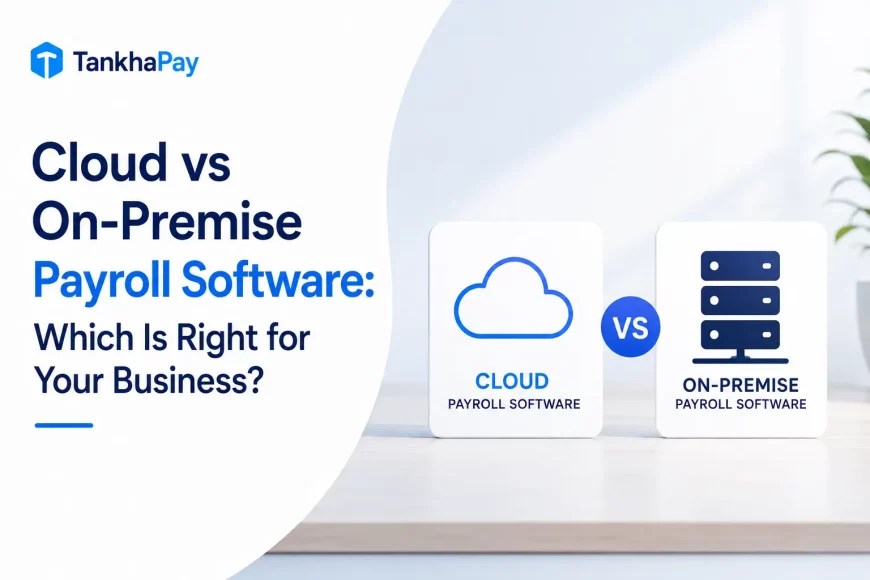
Cloud vs on-premise payroll software
The trade-off is control against maintenance burden. Neither is inherently more secure or more compliant.
What follows is the comparison as it applies to Indian payroll specifically, where the frequency of statutory change makes update responsibility the deciding factor for many buyers.
| Factor | Cloud-based | On-premise |
|---|---|---|
| Infrastructure | Vendor-managed | Your responsibility |
| Statutory updates | Applied centrally by the vendor | Applied by you or on your schedule |
| Upfront cost | Lower, subscription-based | Higher, licence plus infrastructure |
| Ongoing cost | Predictable per employee | IT maintenance, upgrades, hardware refresh |
| Customisation | Within platform limits | Deeper, where supported |
| Remote access | Native | Requires configuration |
| Data control | Vendor infrastructure, subject to contract and DPA | Direct |
| Scalability | Add employees or entities | Capacity planning required |
| Disaster recovery | Vendor responsibility | Your responsibility |
| Best suited for | Most organisations | Specific control requirements |
Types of payroll software by functional scope
Functional scope answers a different question: how much beyond payroll does the system do?
This is the dimension that does most of the work in a buying decision, and it is where the four commonly cited categories below actually differ from each other.
Basic payroll software
Definition. Software dealing with payroll: calculation of salaries, deduction, payrolls and reporting.
How it works. Employee and attendance data is entered or imported, the system computes gross to net, applies deductions and produces payslips and filings.
Advantages. Simpler to implement and to use. Lower cost. Faster to configure when payroll is uncomplicated.
Limitations. Data must come from somewhere. Without integration, attendance, leave and employee records are maintained separately and reconciled manually each cycle.
Best suited for. Organizations having stable salaries and one fixed location without any complications regarding shifts.
This needs to be stated in clear terms. Standalone does not necessarily mean light on the statutes. There is no difference between a twelve-people firm and a twelve hundred people organization in terms of their responsibilities regarding Provident Fund and Tax Deducted at Source after certain levels have been reached.
HRMS with payroll software
Definition. Payroll as part of the overall human resource management system.
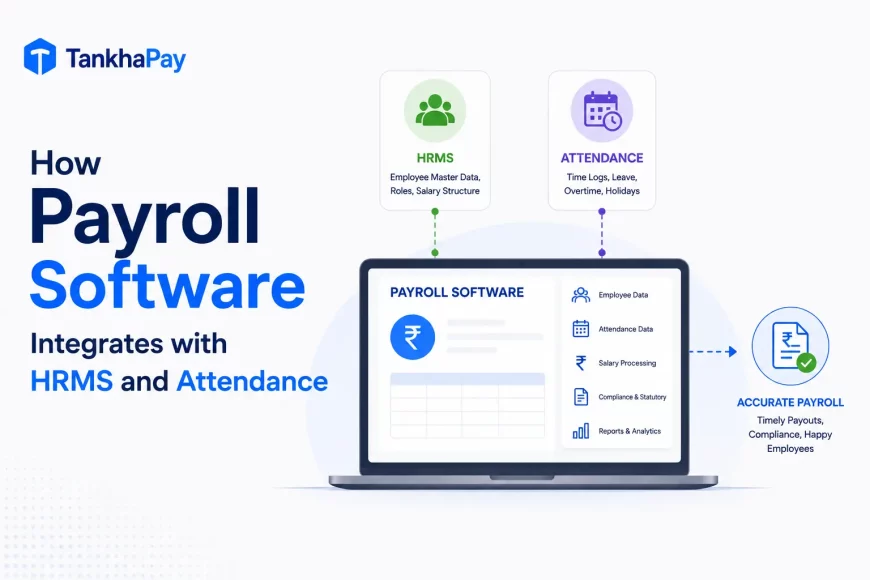
How it works. Employee records, attendance, leave, onboarding, performance and payroll share a single database. A change in one place propagates rather than being re-entered.
Advantages. Eliminates duplicate data entry and the reconciliation it creates. Loss of pay flows from the leave module automatically. Employee self-service covers payslips, declarations and leave in one place.
Limitations. Broader implementation and a longer configuration cycle. You may pay for modules you do not use. Payroll depth varies, and some HRMS platforms treat payroll as a secondary module.
Best suited for. Organisations centralising HR operations, or those where duplicate data entry is already causing errors.
Payroll with attendance software
Definition. Integrated payroll and attendance capture that directly calculates wages based on attendance data without exporting to the payroll engine.
How it works. Biometric, facial recognition, card or geofenced mobile punches feed the payroll engine. Shifts, overtime and absence convert into wage components automatically.
Advantages. Eliminates the export/import phase in which attendance data is usually inaccurate. Applies shift differential and overtime without requiring tagging. Attendance data becomes a record for statutory purposes.
Limitations. Device integration adds implementation effort and often hardware cost. Attendance validation still requires human review each cycle, and vendors vary widely in how long that takes.
Best suited for. Manufacturing, construction, logistics, retail, healthcare and hospitality, and any organisation with shift patterns, field staff or hourly wages.
Payroll with accounting or ERP integration
Definition. Payroll system that is integrated with the finance system so that the postings for labour costs go into the general ledger.
How it works. Payroll output maps to accounting heads, cost centres, projects or production orders and posts as journal entries.
Advantages. Removes manual journal preparation. Gives finance visibility of labour cost by cost centre or project. Improves the accuracy of product and project costing.
Limitations. Integration requires a mapping exercise that is usually underestimated. Changes to the chart of accounts need to be reflected in the payroll configuration.
Best suited for. Finance-led organizations and manufacturers or project businesses that allocate labour cost to output.
Types of payroll software by organisational complexity
Complexity is not the same as headcount, and this is where most buying decisions go wrong.
A forty-person manufacturer with shift workers, contract labour and operations in two states runs a harder payroll than a two-hundred-person software firm on uniform monthly salaries.
Payroll software for small businesses
Definition. Payroll is suited to companies that have uncomplicated hierarchies and relatively few employees.
How it works. Simplified configuration, standard salary structures, standard statutory setup, minimal workflow.
Advantages. Quick to implement, lower cost, less training required.
Limitations. Constraints appear at the second location, the first shift roster or the first contract workforce. Multi-state Professional Tax and Labour Welfare Fund handling is often shallow.
Best suited for. Single-location businesses with fixed salaries and no shift or contract complexity.
Enterprise payroll software
Definition. Payroll built for organisational complexity: multiple entities, multiple locations, governance requirements and integration into a wider systems landscape.
Enterprise payroll software is defined less by employee count and more by the complexity, scale, governance, integration and control requirements of the organisation.
How it works. A single rules engine applies entity-specific and state-specific configuration, with approval workflows, role-based access and audit logging over the top, and defined interfaces to finance, HR and banking systems.
What distinguishes it in practice:
- Multiple legal entities under one consolidated process
- Multi-state statutory structure consisting of Professional Tax and Labour Welfare Fund for each state
- Different worker types: monthly rated, daily rated, piece rated, and contract workers, each treated separately
- Cost centre, project, and location-based costing
- Access based on roles such that HR at the factory level does not have access to the corporate payroll system
- Multi-level approval process configurable for each legal structure
- Audit trail to ensure that changes were made by whom and when
- Interface with ERP, HR, banking, and identity management systems
Limitations. Longer implementation, higher cost, and a configuration burden that only pays back if the complexity is real.
Best suited for. Multi-entity, multi-state or multi-plant organisations, and any business where payroll governance and auditability have become a board-level concern. That is the profile TankhaPay’s enterprise payroll platform is configured around, with multi-entity and multi-state setup and the governance controls listed above.
Types of payroll software by service model
The service model determines who conducts payroll processing, while this is not the same thing as what the software does. The difference is important because the same platform may be marketed either way, and users tend to confuse these two.
In-house payroll software
Your team operates the software. The vendor supplies the platform and statutory updates; your organisation supplies the data, the judgement and the accountability.
This works when you have in-house payroll expertise, particularly for multi-state statutory obligations, and enough capacity to run the cycle reliably every month.
Managed payroll platforms
Payroll technology delivered together with a professional service. The provider processes the payroll, prepares statutory filings and carries the operational knowledge.
Payroll software and payroll outsourcing are not the same thing. Software is a tool your team operates. Outsourcing is a service that operates on your behalf. Managed payroll platforms combine both, which is why they are often mislabelled as one or the other.
The deciding question is not cost. It is whether your constraint is capacity or expertise. Capacity problems are usually solved with software. Expertise problems usually are not.
Types of payroll software by geographic scope
Geographic scope is a filter rather than a choice. Either you need it or you do not.
Where it matters, it matters absolutely, because statutory logic is not something that can be configured around after purchase.
India-specific payroll software
Payroll designed for the Indian legal environment takes care of Provident Fund and Employee State Insurance with the right threshold mechanism, Tax Deducted at Source in accordance with the relevant legal environment, professional tax state-wise, Labour Welfare Fund state-wise with their respective frequencies, gratuity, statutory bonus, and register and return requirements of every authority.
It also has to track change, and 2025 to 2026 has produced more of it than most two-year windows. The four Labour Codes took national effect on 21 November 2025 and altered the wage base definition used across payroll calculations. The EPF Scheme 2026, notified on 29 June 2026 via G.S.R. 525(E), changed provisions of Provident Fund scheme administration that payroll systems need to reflect. And Income-tax Act, 2025, also renumbered the forms payroll systems prepare, such as the TDS return, which was earlier Form 24Q but is now Form 138, Form 16, which is now Form 130, and Form 12BB, which is now Form 124. Any system that calculates or files using the old numbering system of the forms is outdated. The issue with the Codes is discussed here with regard to labour codes.
An international platform without native Indian statutory logic will require workarounds, and workarounds are where compliance exposure accumulates.
Global payroll software
Payroll across multiple countries, handling country-specific tax withholding, social security contributions, statutory benefits, currencies and reporting cadences.
Depth varies considerably by country. A platform strong in ten markets and shallow in the rest is common, so evaluate the specific countries you operate in rather than the total on the vendor’s homepage.
Types of payroll software by industry and workforce
Industry-specific payroll is almost never a product in itself. It tends to be more of a configurability profile together with certain capabilities that only some software vendors support, while others do not. The critical point here is not whether a vendor supports your industry, but whether it supports the necessary capabilities.
- Manufacturing needs biometric attendance, shift differentials, statutory overtime, piece-rate handling and contract labour management.
- Construction requires attendance, daily calculation of wages and employee registration.
- Health care requires a round-the-clock roster, night shifts and eligibility for Employee State Insurance for different types of employees.
- Retail requires Professional Tax, turnover onboarding and exit process in stores, and quick, full and final settlement.
- Logistics requires geofencing-based attendance for employees who will never be at a fixed place and depot-wise registration.
- Information technology and services need perquisite computation for equity compensation, variable pay handling and Professional Tax by each employee’s registered work state.
- Education needs separation between payroll and professional-fee tracks for permanent, contract and visiting faculty.
- Staffing and contract services need multi-client processing, contractor licence tracking and register generation at scale.
Which statutory framework applies to each of these is set out in payroll compliance by industry.
Field and distributed workforce payroll
Where employees are not at a fixed location, the payroll chain runs from attendance capture through working hours and overtime to leave and finally wage calculation.
The most vulnerable part of this chain is its starting point. Unless there is a legitimate record of attendance of the field personnel, no number that comes afterward is based on any estimation.
Types of payroll software by technology capability
Automation and artificial intelligence describe how a platform works rather than what it is for. Both are worth evaluating, and neither is worth taking on trust.
The distinction between them is more meaningful than vendor marketing usually suggests.
Automated payroll software
Automation involves rule-based actions such as computation of salary, statutory deduction, approval process, data validation through predetermined rules, filing, and notification.
This is well established, quantifiable, and provides most of the tangible gains. The next time you hear ‘automation’ from a vendor, inquire about the exact processes that operate on an automated basis.
AI-enabled payroll software
Artificial intelligence in payroll typically means anomaly detection, cycle-to-cycle variations, employee inquiry assistant, and pattern-driven reporting.
There is one thing that should be mentioned. Having artificial intelligence does not necessarily mean having accuracy and compliance. Anomaly detection finds out outliers, but if the configuration is wrong all the time, there would be no outliers and thus nothing suspicious.
Can payroll software belong to more than one type?
Yes, and this is the most important thing to understand before evaluating vendors.
Only deployment is close to mutually exclusive. Every other dimension on this page is additive, which means a single platform routinely occupies five or six categories at once.
Example. Consider a hypothetical situation wherein the payroll management system of an enterprise is deployed using cloud technology, integrated with a Human Resource Management System (HRMS) and a biometric attendance system, designed to fit into the legal framework of India, multiple enterprises based, and utilizes automated validations.
That single platform belongs to six categories. Presented as a list of types, it would appear six times.
Why this matters when you are buying. When a vendor says, “We are an enterprise payroll platform,” they have answered one question out of seven. Enterprise describes complexity, not deployment, not functional scope, not statutory coverage.
The useful approach is to establish your requirement on each dimension separately, then evaluate whether a platform meets all of them, rather than shopping for a type.
Not all seven dimensions carry equal weight, either. Deployment is largely settled for most buyers today. Geographic scope and industry specialisation are filters: you either need them or you do not. Functional scope and organisational complexity are where the real decision sits, and they deserve the majority of your evaluation time.
What types of payroll software are most relevant in India?
Indian buyers typically evaluate along four of the seven dimensions, because the other three resolve quickly.
Deployment is usually settled in favour of cloud. Geographic scope is settled by whether you operate outside India. Technology capability is a differentiator between shortlisted platforms rather than a category filter.
That leaves four questions that do the work:
Functional scope. Do you need payroll alone, or payroll with HR, attendance or accounting connected?
Statutory depth. Does the platform handle multi-state Professional Tax and Labour Welfare Fund natively, or does it require manual configuration per state? This is the most commonly overstated capability in the Indian market.
Organisational complexity. Single entity or several? One state or many? One worker category or four?
Service model. Do you have the in-house statutory expertise to operate the software, or do you need a provider who carries it?
The fourth question is the one most often answered last and should be answered first, because it changes what you are shopping for.
Which type of payroll software is right for your business?
The practical route is to work from your requirement to the capability, rather than from a category to a product.
Each row below reads as a condition and the capability it implies. Most organisations will match several rows, which is the point.
| If your organisation has | Consider |
|---|---|
| Fixed salaries, one location, no shifts | Standalone payroll |
| Growing HR operations and duplicate data entry | HRMS with payroll |
| Shift work, field staff or hourly wages | Payroll with attendance integration |
| Cost centre or project-level cost allocation needs | Payroll with accounting or ERP integration |
| Employees in more than one state | Multi-state statutory capability, at minimum |
| More than one legal entity | Enterprise payroll |
| Governance, audit and access control requirements | Enterprise payroll |
| No in-house statutory expertise | Managed payroll |
| Employees in more than one country | Global payroll, or country-specific providers |
| Sector-specific workforce complexity | Industry-configured payroll |
| High manual effort despite owning software | Automation review before buying anything new |
That last row is worth pausing on. A meaningful share of organisations that believe they need new payroll software are running a capable platform at a fraction of its configured capability. An implementation review is cheaper than a migration and often resolves the same complaint.
Cost expectations across these categories are set out in payroll software pricing in India.
When should a business move to enterprise payroll software?
The trigger is rarely a headcount number. It is the point at which coordination cost exceeds processing cost.
These signals tend to appear together, and three or more usually indicates the threshold has been passed:
- Payroll now spans more than one legal entity
- Employees are registered across several states, each with its own Professional Tax and Labour Welfare Fund position
- Manual reconciliation between systems has become a standing monthly task
- Payroll approvals involve several stakeholders with no defined workflow
- Payroll data lives in more than one system, and the versions disagree
- Reporting requests from finance or leadership cannot be met from the payroll system directly
- Compliance tracking depends on individual memory rather than a documented process
- HR and payroll systems are disconnected, so the same change is entered twice
- Finance requires payroll to post to cost centres or projects
- Access control has become a concern, with more people able to see or change payroll than should
- An audit or inspection has raised questions the current system could not answer quickly
Each of these issues may not present itself as a problem on its own. But all put together, they become a picture of an organization that has an outdated payroll system, whereby the cost of staying in the business is not based on any failures, but on reconciliation time.
What the transition involves is covered in the payroll software implementation guide.
What should modern enterprise payroll software offer?
Enterprise capability divides into four groups: payroll processing, statutory compliance, integration, and governance. The fourth is what separates enterprise platforms from capable mid-market ones.
Payroll processing. Automated gross-to-net calculation process, variable pay, overtime, back pay with retrospective calculations, reimbursements, deductions, loans and advances, and settlement process.
Statutory compliance. PF, ESI, TDS, professional tax as per states, labor welfare fund as per states, statutory registers in prescribed format, and return preparation for all authorities.
Integration. Attendance and Leave, Direct Payroll Input, Bank File Creation, Posting to Accounting or ERP, Application Programming Interfaces documented, and Single Sign On.
Governance. Role Based Access Control, Multilevel Approvals, Immutable Audit Trails, Multi-entity and Multi-site, Consolidated and Entity Reporting, Security Controls on Data, Scalability Without Re-Implementation.
A fuller breakdown of what to evaluate sits in payroll software features.
Basic payroll vs HRMS payroll vs enterprise payroll
These three are the categories most Indian buyers actually choose between, which makes a direct comparison more useful than a longer list.
The table assumes each is well implemented. A poorly configured enterprise platform will underperform a well-run basic one.
| Capability | Basic payroll | HRMS with payroll | Enterprise payroll |
|---|---|---|---|
| Payroll processing | Yes | Yes | Yes, with complex structures |
| Employee records | Limited | Yes | Yes, multi-entity |
| Attendance | Import only | Integrated | Integrated, device-level |
| Leave | Manual or import | Integrated | Integrated with policy configuration |
| Recruitment | No | Usually | Usually, plus integrations |
| Performance | No | Usually | Usually, plus analytics |
| Statutory compliance | Core deductions | Core plus registers | Full, multi-state, multi-entity |
| Workflow automation | Minimal | Configurable | Multi-level, entity-specific |
| Multi-location | Limited | Supported | Native |
| Multi-entity | No | Limited | Native |
| Advanced reporting | Standard reports | Standard plus HR analytics | Cost centre, entity and consolidated |
| Integrations | Few | HR ecosystem | ERP, banking, identity, documented APIs |
| Role-based controls | Basic | Configurable | Granular, by entity and location |
| Audit trails | Limited | Present | Immutable and complete |
| Scalability | Headcount only | Headcount and modules | Headcount, entities, states, currencies |
| Best suited for | Single location, fixed salaries | Centralising HR operations | Multi-entity, multi-state, governed |
Conclusion
The question “how many types of payroll software are there” has no fixed answer, and that is the useful finding rather than an evasion.
Payroll software is classified along seven dimensions, and most platforms occupy several at once. A system can be cloud-based, HRMS-integrated, attendance-linked, India-compliant, multi-entity and automation-enabled simultaneously. Those are six answers to six different questions, not six competing products.
For most Indian organizations, there are four key considerations that influence decision-making: functional scope, statutory extent, organizational complexity and service orientation. It is crucial to have a stand for all four dimensions before considering anything; evaluate the payroll software not by its category but according to these four dimensions.
If your payroll now spans multiple entities, states or worker categories, the requirement has usually moved beyond what a category label can describe. Book a Strategy Call and we will map your structure, states and workforce mix against the capabilities you actually need, before any discussion of platforms.
FAQ
What are the different types of payroll software?
Payroll software is classified by deployment (cloud or on-premise), functional scope (standalone, HRMS-integrated, attendance-integrated, accounting-integrated), organisational complexity (small business, mid-market, enterprise), service model (in-house or managed), geographic scope, industry specialisation and technology capability.
What are the main types of payroll systems?
The most widely referred to classifications include cloud and on-premise in terms of deployment, standalone and HRMS-integrated in terms of scope, small business and enterprise in terms of complexity, and in-house and managed in terms of service model. Most systems are classified in multiple categories simultaneously.
Is payroll software a type of application software?
Yes. The chain runs from software to application software to business application software to HR software to payroll software. Payroll sits within the HR technology family of business applications.
What is cloud-based payroll software?
Payroll software is located at the vendor site and accessed through the Internet via subscription. Vendor is responsible for infrastructure as well as applying statutory updates in a central location, and that is important in India, as state laws update at different times.
What is on-premise payroll software?
Payroll software installed on infrastructure your organisation owns and controls. It offers direct data control and deeper customisation, but statutory updates must be applied on your own timetable, which is the main operational risk.
What is standalone payroll software?
The payroll software only concentrates on fundamental operations such as payroll calculations, deductions, pay slips and statutory documents, but lacks additional HR modules. It is ideal for companies that have a fixed structure, although the software doesn’t diminish any statutory compliance requirements.
What is HRMS payroll software?
Payroll delivered as one module within a human resource management system, sharing a single database with employee records, attendance and leave. It removes duplicate data entry and the manual reconciliation that follows.
What is enterprise payroll software?
Payroll systems designed for organisation complexity, not just number of employees: multiple legal entities, multi-state statutory set up, cost center assignment, role-based security, approval processes, audit trails and interface with accounting and human resource systems.
What is managed payroll software?
A solution that is offered along with a payroll service, wherein the payroll is processed by the payroll provider and then the statutory returns are prepared.
What is global payroll software?
International payroll processing in many different countries, covering each country’s unique tax withholdings, social security, mandatory benefits, currency, and frequency of reporting. The level of expertise will vary greatly depending on the country. Therefore, it depends on the particular markets that you do business within.
Which type of payroll software is best for large companies?
Enterprise payroll, where complexity rather than headcount is the deciding factor. Multiple entities, multi-state operations, governance requirements and system integrations are what make enterprise capability necessary.
Which type of payroll software is best for small businesses?
Cloud-based standalone or light integration payroll system as long as it satisfies the statutory requirements after passing the threshold limit. Small businesses will have similar Provident Fund and Tax Deducted at Source responsibilities, but on a smaller scale.